
Migrate Wix to Shopify Without Losing SEO
Migrate Wix to Shopify with a field map, 301 redirects from /product-page/ URLs, a rebuilt theme, and launch checks that protect orders and rankings.
Wix reported 304.2 million total registered users at the end of 2025, up from 282.4 million in 2024, in its 2025 annual report filed with the SEC. That base is mostly websites, not stores with variant catalogs, saved customers, and years of orders. When a shop outgrows that model, the job is not a visual refresh. You migrate Wix to Shopify by reconciling records and changing URL architecture, then you rebuild the storefront as editable sections instead of cloning Wix pages.
A pretty theme on a staging password page is not a finished move. What fails at launch is a missing SKU, a password that never came across, a product path that 404s, or a checkout that looks familiar and still drops the order. I would treat the sign-off as three matches: record counts, redirect codes, and a checkout that completes on mobile.
Table of Contents
- Why an Established Wix Store Needs a Controlled Replatform
- What Transfers and What You Rebuild
- How to Import Wix Data Into Shopify
- Redirects That Keep Wix Rankings
- Rebuild the Storefront as Editable Sections
- Run Checkout and Launch Acceptance
- Decide Whether to Run the Move In-House
<a id="why-an-established-wix-store-needs-a-controlled-replatform"></a>
Why an Established Wix Store Needs a Controlled Replatform
Say a home retailer has lived on Wix for four years. The catalog now has color and size options, wholesale and retail prices, and a CRM that keys off customer email. Finance still pulls last year's orders when a buyer disputes a charge. A page copy of the homepage carries none of that. The pages look occupied. The commerce records stay behind.
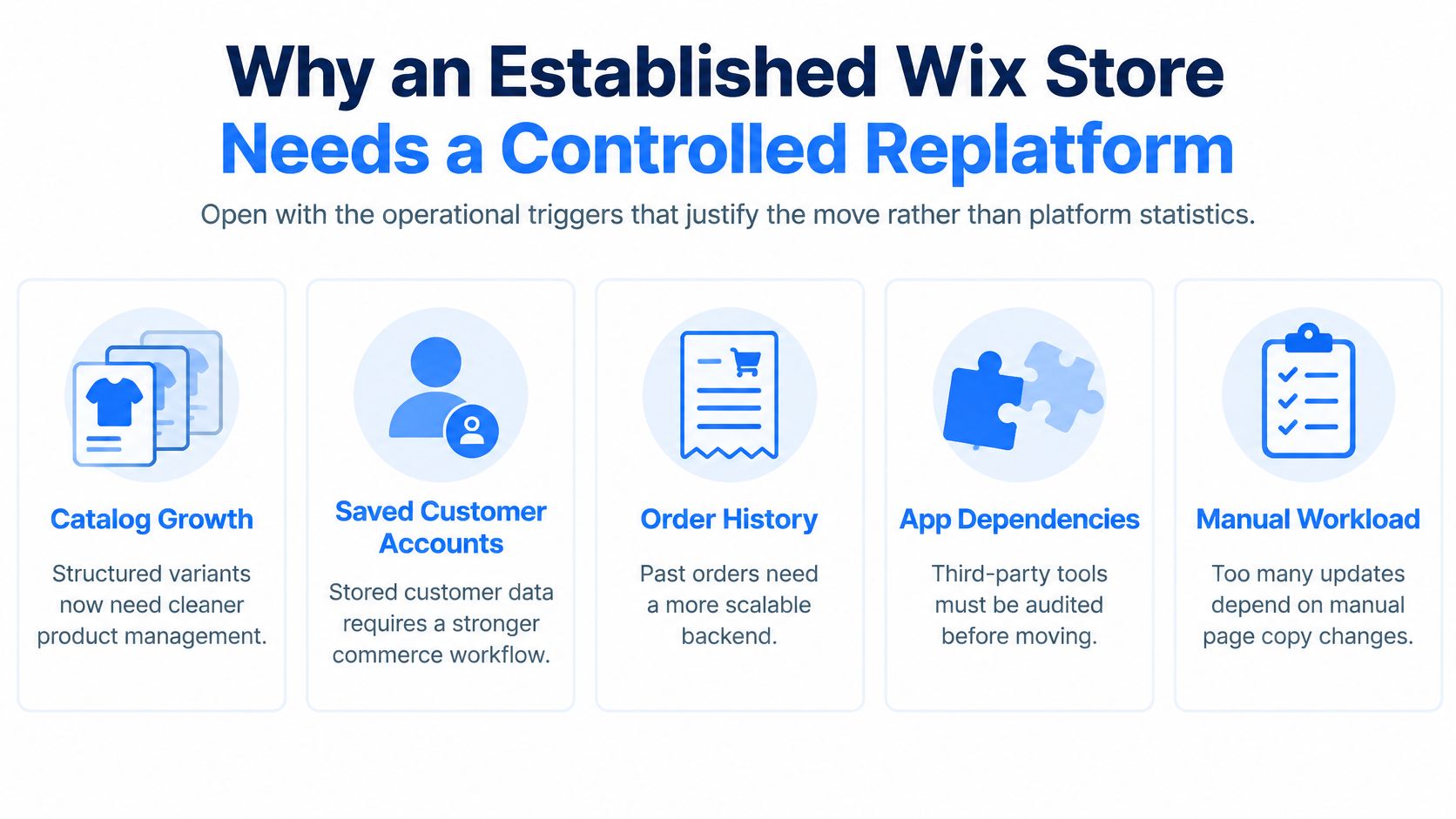
The triggers are operational, not cosmetic. Catalog growth means structured variants that a freeform product page no longer describes cleanly. Saved customer accounts have to survive, or support spends launch week resetting people who never got a warning. Order history has to be findable, or refunds turn into arguments. International selling adds tax and shipping rules that differ by market. ERP or CRM connections fail when a field you thought was optional is the key the other system uses.
Before anyone opens an import tool, inventory what must reconcile:
- Products and variants, including option names, SKUs, prices, and inventory behavior.
- Customers and historical orders, with totals, tax, and status.
- Media, blog posts, and metadata, plus canonical URLs and the redirect map those URLs will need.
Assign each record an owner and a named source export. A row marked "someone will grab it" is the row that is missing on cutover morning. Success is defined before DNS moves. Staging product, customer, and order counts match the source export. Redirect response codes are verified on the URLs that earn traffic. No staging noindex is still live.
Practical rule: If you cannot name the export file and the person who signs the count, that object is not ready to move.
The work that follows splits cleanly. Some objects transfer. Theme, apps, and checkout rules are rebuilt. Imports run on staging. URLs get their own map. Launch is a separate acceptance list, and only then do you decide whether the team runs it or a specialist does. A short Shopify migration readiness checklist is a useful way to force that inventory before the first CSV.
<a id="what-transfers-and-what-you-rebuild"></a>
What Transfers and What You Rebuild
Scan the table before you export anything. Each row is either an import, a rebuild, or a redirect. The risky rows are products, customers, and orders. Everything else is content or configuration that Shopify will not inherit from a Wix layout.
| Object | Wix source | Shopify destination | Main risk |
|---|---|---|---|
| Products and variants | Product CSV | Products, options, SKUs | Option mismatch or duplicate SKUs |
| Customers | Customer CSV | Customer profiles | Passwords do not transfer; send set-password invites |
| Orders | Order export where available | Order history or archive | Totals, tax, and status must reconcile |
| Pages and blog | Manual or HTML export | Online Store pages and blog posts | Layout and apps do not come with the copy |
| Media | Image and file download | Files and product media | Broken image references after import |
| SEO URLs | Wix product, collection, and page paths | Shopify handles and new paths | Missing 301s drop rankings |
| Apps and checkout | Wix apps and checkout settings | Shopify apps, shipping, tax, payments | No parity; rebuild rules and test them |
<a id="products-customers-and-orders"></a>
Products, customers, and orders
Products and variants are the first place a CSV lies to you. Wix option labels do not always line up with Shopify option positions. A "Size" column that sometimes says "S / M" and sometimes says "Small" becomes two options, or a failed row. Duplicate SKUs import as separate variants that share a code your warehouse treats as one item. I would dedupe SKUs in a spreadsheet and lock option names before the first upload, not after merchandisers start editing on Shopify.
Customers import as profiles: name, email, addresses, phone. Passwords do not transfer. A silent login is impossible, so the plan is a set-password invite, sent before the domain moves, with a plain explanation that the store changed platforms. Discovering that at checkout feels like a breach. Announced ahead of time, it is a one-time reset.
Orders are the row people skip because the live catalog looks finished. Export what Wix provides, then confirm that Shopify order history, or a documented archive, matches totals, tax, and status. If the export is partial, keep the remainder as archived records and write the gap into the reconciliation sign-off. Support needs the old order when a buyer asks. Reporting needs the baseline so a post-launch dip is not blamed on a missing year of history.
<a id="mark-the-row-before-you-open-the-file"></a>
Mark the row before you open the file
Pages, blogs, and media move as content and files, not as the Wix editor's sections, apps, or animations. Shipping zones, tax, discounts, and payment methods have no one-to-one copy. List them as rebuild items and test them with orders, which comes later. URL changes are a redirect problem, not an import problem.
Mark every row import, rebuild, or redirect before you open the CSV tools. An unmarked row is how a blog, a tax rule, or a best-selling path gets left on the old store.
<a id="how-to-import-wix-data-into-shopify"></a>
How to Import Wix Data Into Shopify
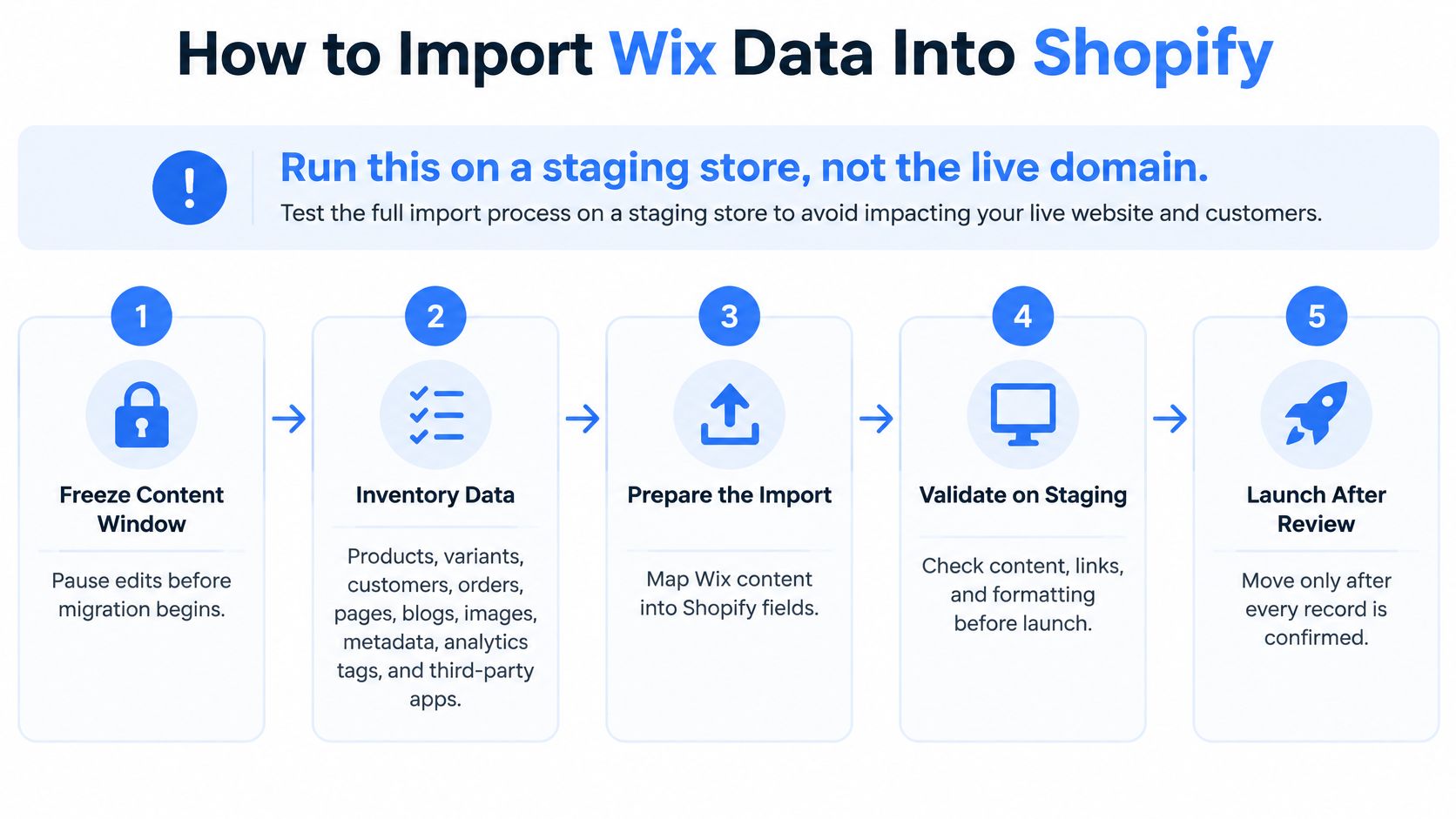
Run this on a staging store, not the live domain. Wix keeps selling while you import. Pointing DNS in the middle of a broken product file is how you take the shop offline for a spreadsheet error.
<a id="freeze-export-and-map"></a>
Freeze, export, and map
- Freeze a content window. Pause nonessential edits, or write down every change, so the file you import is the file you will reconcile. A product edited on Wix after the export will not appear on Shopify unless you catch it in a later delta.
- Inventory the objects. List products, variants, customers, orders, pages, blogs, images, metadata, analytics tags, and third-party apps. You are looking for gaps, not for a theme.
- Export products and customers as CSV on the path Shopify documents for Wix, and export orders and content with whatever Wix report or manual method that store has. There is no one-click copy of the whole site.
- Build a field-level map. Match Wix columns to Shopify product, variant, customer, and content fields, including the handles you intend to keep stable. A handle you change later is a redirect you must not forget.
<a id="import-in-an-order-that-does-not-orphan-files"></a>
Import in an order that does not orphan files
- Import products first, then customers, then historical orders. Upload media before you publish any page that references those files. A blog that goes live against missing images looks migrated and is not.
- Rebuild what the CSV cannot represent. Navigation, policy pages, and Wix-only widgets are written again as Shopify pages and blog posts. Do not paste the old layout and call it content.
- Reconcile in staging. Product count, unique SKUs, prices, inventory behavior, customer count, order totals, and media references must match the source export. A visual spot-check of the homepage does not catch a dropped variant.
- Fix duplicates and blank required fields, then take a second delta for anything edited on Wix after the freeze. Write those edits down. Do not point the domain here.
Leave checkout, tax, shipping, and payment rules for the launch workstream. Leave URL redirects for their own map. A catalog of a few hundred clean SKUs can often clear this import in days if the columns are already tidy. Heavy variant logic or years of orders needs staged reconciliation, not a single upload you hope is complete.
A second import that only adds the delta is safer than re-uploading the full catalog and creating duplicates you then have to merge by hand.
<a id="redirects-that-keep-wix-rankings"></a>
Redirects That Keep Wix Rankings
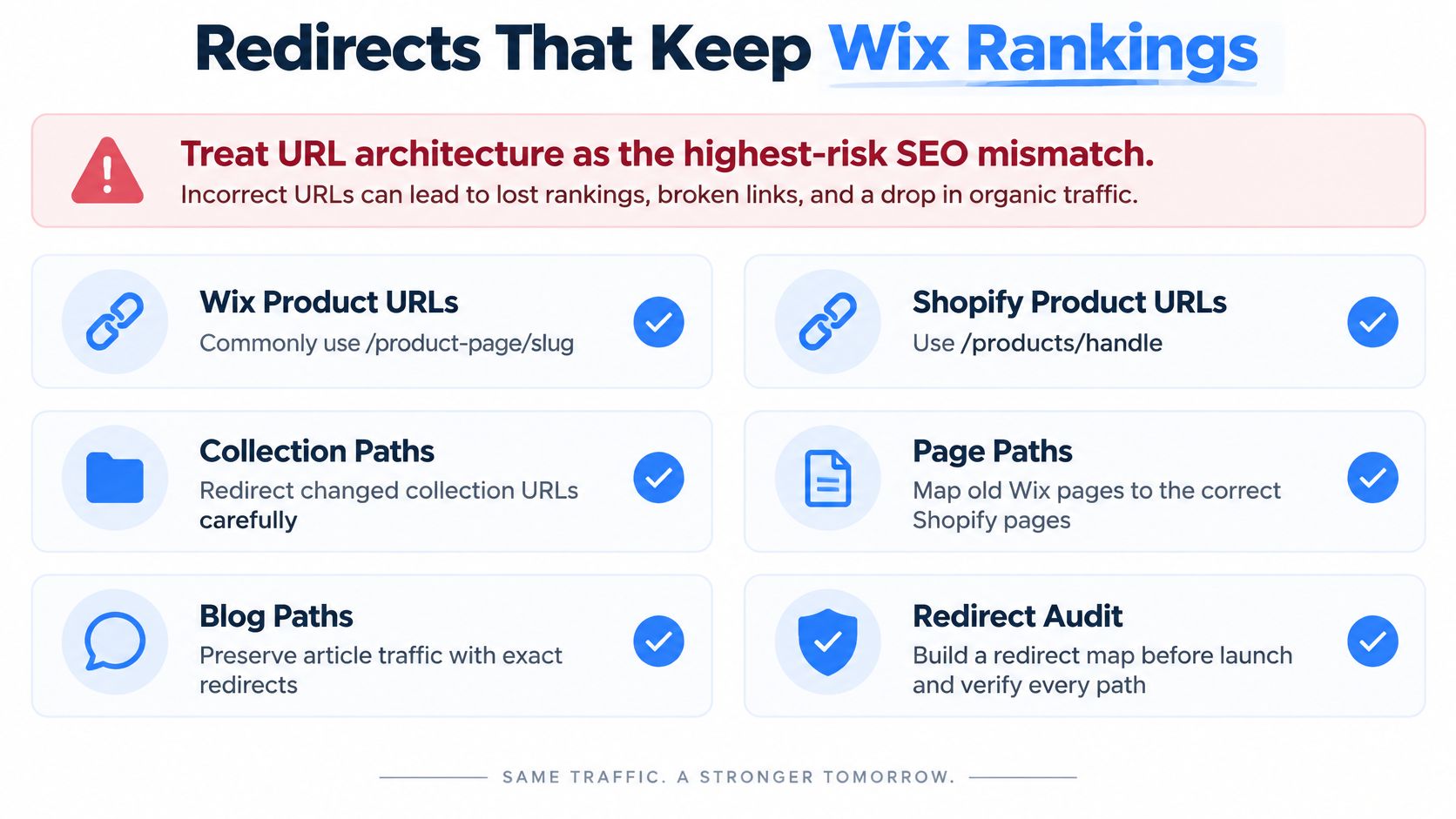
URL architecture is the highest-risk SEO mismatch in this move. Wix product URLs commonly use /product-page/<slug>. Shopify uses /products/<handle>. Collection, page, and blog paths change as well. A correct product record on the wrong path is a ranking loss, not a successful import.
Shopify's guide to migrating from Wix treats the project as a controlled site move, not a CSV drop. Google recommends permanent server-side redirects such as 301 or 308, updated canonicals, a new sitemap in Search Console, and keeping redirects for at least one year. Google also advises watching traffic on both the old and new URL sets while the move settles.
<a id="build-the-matrix-before-the-domain-moves"></a>
Build the matrix before the domain moves
Build the redirect matrix before cutover. Columns are old URL, new URL, status code, and whether the page earns traffic or revenue.
- Match the path, then redirect it. Every product, collection, page, and article that changes gets a permanent server-side redirect to the exact new URL.
- Keep the on-page signals equivalent. Titles, canonicals, structured data, and indexability settings should describe the same object they described on Wix.
- Refuse the homepage dump. Unmatched URLs sent to the homepage weaken relevance and create crawl and user-experience failures. Leave a true unknown as a logged gap, not as a redirect to
/.
<a id="what-you-test-and-what-you-remove"></a>
What you test, and what you remove
Test every high-value URL in staging. The practical sample is the top organic landing pages plus the top revenue products, even when that list is only a few dozen URLs. Each one should return 301 to the exact product, collection, or article. A chain, a 302, or a 404 fails the sample.
At switch, remove any staging noindex, confirm canonicals are not duplicated between the old site and Shopify, submit the new sitemap, and point canonicals at the Shopify URLs. Keep the redirects up for at least a year, and watch both URL sets rather than celebrating a single day of stable revenue. The wider Shopify SEO guide is worth reading once the map exists, so later template work does not undo the paths you just protected.
<a id="rebuild-the-storefront-as-editable-sections"></a>
Rebuild the Storefront as Editable Sections
Do not paste the Wix template into a Shopify theme. Online Store 2.0 is section-based. A cloned page looks familiar in a screenshot and becomes a locked layout the next time someone needs to swap a collection. We rebuild rather than replicate, because legacy templates rarely map cleanly onto those sections.
<a id="templates-first-brand-second"></a>
Templates first, brand second
- Homepage. Build it from native sections for the hero, featured collections, and trust blocks. If a Wix strip only existed because an app injected it, decide whether the section still earns its place.
- Collection templates. Filters and sorting should map to the variant options you imported. A color filter that does not match the option name you cleaned in the CSV will show an empty result set.
- Product templates. Variant selectors, media galleries, and review blocks must read the imported SKUs and handles. Duplicate options from the import can result in a selector displaying two sizes with the same label.
Match spacing, type, and mobile layout to the original only after those templates work. Brand tokens, meaning colors, type scale, and button styles, belong in theme settings, not in hard-coded CSS. A later sale banner should be a section edit, not a developer ticket.
<a id="apps-by-function-then-a-rebuild-log"></a>
Apps by function, then a rebuild log
Replace Wix apps one job at a time. If Shopify already handles shipping, discounts, or reviews, drop the app that repeats that job. Extra apps are a common way a fast theme becomes a slow one before launch week is over.
Check the mobile layout at the breakpoints your buyers use in practice, held next to the Wix version, before anyone approves the design. Record each template decision in a short rebuild log, and mark which sections touch checkout, consent, or purchase events. The launch team should not have to guess which blocks can break attribution.
<a id="run-checkout-and-launch-acceptance"></a>
Run Checkout and Launch Acceptance
Cutover is its own checklist. Theme approval does not clear it. A store can look identical to the Wix shop and still fail a tax calculation, a discount, or a mobile guest checkout.
Baymard's checkout usability benchmark of 344 major US and EU ecommerce sites found that 65% had mediocre-or-worse checkout performance, while only 2% were rated good. Assume your new checkout is in the large group until test orders say otherwise.
<a id="the-sequence"></a>
The sequence
- Freeze or document Wix changes, then run a final delta export. Anything sold or edited after the last import has to land before DNS moves.
- Validate payment, tax, and shipping with test orders that match expected totals in each market you sell to.
- Test checkout as its own stream. Cover mobile and desktop guest checkout, account creation, discount codes, address validation, shipping thresholds, a failed payment, a refund, and the confirmation email. Analytics attribution sits in the same pass, because a purchase event that never fires will make a healthy day look like a crash.
- Switch the domain in a low-traffic window only after the redirect sample and the indexability checks pass.
- Watch the first weeks daily. Search Console coverage, crawl errors, organic landing pages, revenue, conversion rate, and support tickets, set against the pre-move baseline. Include funnel rate, field page speed, error rate, and revenue per session. Investigate a real decline before you add apps or redesign.
Check the usual defects first. Products imported without orders or the blog. Handles changed without redirects. Staging noindex left on. Duplicate canonicals. Broken consent or purchase events. Incompatible apps standing in for Wix behavior that was never rebuilt.
| Check | When | Pass criteria |
|---|---|---|
| Delta export | Before DNS | New Wix edits since the freeze are on Shopify |
| Payment, tax, shipping | Before DNS | Test orders match expected totals in each market |
| Guest and account checkout | Before DNS | Mobile and desktop complete, including a failed payment and a refund |
| Discount and address rules | Before DNS | Codes, thresholds, and address validation behave as on Wix |
| Redirect sample | Before and day 1 | High-value URLs return 301 to the exact new URL |
| Indexability | At switch | Staging noindex removed; one canonical per URL; new sitemap submitted |
| Analytics | Day 1 | Consent and purchase events attribute to the new domain |
| Search and revenue | Daily for early weeks | Coverage, crawl errors, organic landings, conversion, and tickets reviewed against baseline |
That table is the pass or fail list. A homepage screenshot is not on it.
<a id="decide-whether-to-run-the-move-in-house"></a>
Decide Whether to Run the Move In-House
Stay in-house when the catalog is small, the URL list is short, apps are basic, and someone on the team can reconcile CSV totals and test 301s without slipping the freeze. Bring in a specialist when order history, variant logic, the redirect matrix, or ERP and CRM connections would blow that window. The destination is built for that kind of load. Shopify reported $378.441 billion in 2025 gross merchandise volume, up from $292.275 billion in 2024, in its Q4 2025 results exhibit filed with the SEC. Scale on the platform does not raise your conversion by itself. It does mean the bet is about operating capacity, payments, and integrations, not a new coat of paint.
Run a short readiness pass on catalog size, URL count, installed apps, integrations, and a realistic timeline. In one case we moved a Home & Living retailer with 20k+ SKUs from Magento 2 to Shopify Plus, with a 34% increase in conversion rate, 1.8s mobile LCP, and 98% organic retention. That was a different source platform. The lesson that transfers is the same: record reconciliation and redirects, not a cloned theme, are what held the revenue.
Whichever route you pick, ask for a redirect matrix, a record-reconciliation sign-off, and a checkout test list. Our guide to choosing a Shopify migration agency is a reasonable filter if you are comparing partners. I would finish the transfer map and a sample redirect matrix yourself first. If any reconciliation row is still unknown, that is the moment to get a scoped view of data, integrations, SEO risk, and timeline rather than guessing through launch week.
United Victory Technologies migrates established stores onto Shopify with the records, redirects, and section-based storefront treated as one project, not a theme swap. If your Wix catalog, order history, or URL map is already past a clean in-house freeze, start with the readiness assessment and see a scoped view of the risk before you move the domain. Visit United Victory Technologies when you want that assessment against your actual catalog.