
Transfer BigCommerce to Shopify: A Practical Migration Guide
Planning to transfer BigCommerce to Shopify? Learn how to map catalogs, protect SEO with 301 redirects, and execute a controlled cutover without losing traffic.
You aren't considering a replatform because you have spare time. You're considering it because a promotion took too long to launch, a B2B customer couldn't get the right price, or your ops team is reconciling inventory by hand while the catalog keeps growing. The store still sells. That's exactly why moving it feels risky.
When you transfer BigCommerce to Shopify, the export is rarely the hard part. The hard part is translating years of business rules into a different operating model without breaking prices, customer access, order history, or organic traffic. Treat this as a data-model and operational-continuity project, not a file move, and most of the painful surprises surface early enough to fix.
Table of Contents
- Why Mid-Market Brands Are Moving Off BigCommerce
- Inventorying Your BigCommerce Store Before You Touch Anything
- Mapping and Importing Data Into a Shopify Development Store
- Protecting SEO With 301 Redirects and Search Console Setup
- Cutover Planning, Launch Day, and the First 90 Days
- Transfer Checklist and Post-Launch Optimization
<a id="why-mid-market-brands-are-moving-off-bigcommerce"></a>
Why Mid-Market Brands Are Moving Off BigCommerce
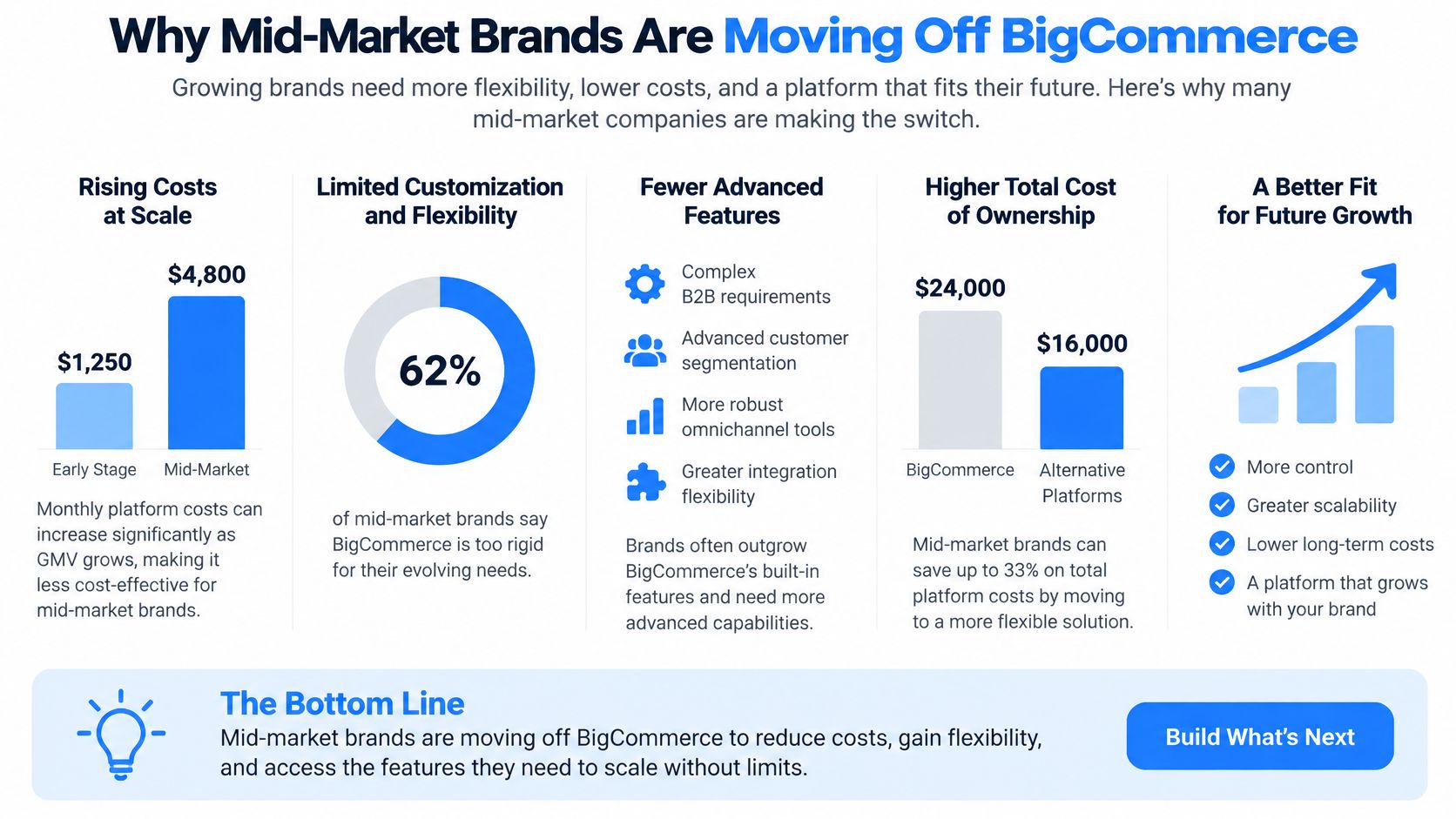
The trigger is usually mundane, not dramatic. A merchandiser wants a checkout rule for high-value orders and learns it'll take custom work. A wholesale team needs customer-specific pricing that doesn't fit cleanly into the current setup. A second region launches, and suddenly tax, currency, inventory location, and fulfillment rules are all pulling against each other.
None of those problems means BigCommerce has failed you. For fiscal year 2024, BigCommerce reported total revenue of $332.9 million, an 8% increase over fiscal 2023, according to BigCommerce fiscal 2024 investor reporting. Its merchants also carry meaningful peak-season volume, which is a useful reminder that your source store probably holds commercially critical history, not just a product list.
<a id="what-shopify-changes-operationally"></a>
What Shopify changes operationally
Shopify's scale is part of the argument, but it shouldn't be the whole argument. In fiscal year 2025, Shopify reported gross merchandise volume of $378.441 billion, up from $292.275 billion in 2024, and total revenue of $11.556 billion, as shown in Shopify's fiscal 2025 annual report. Merchant solutions generated approximately $8.8 billion, or 76% of total revenue, while subscription solutions contributed approximately $2.8 billion, or 24%, in that same report. Those figures don't guarantee your store will grow. They show you're moving into a broad commerce ecosystem where payments, channels, and apps need planning alongside the catalog.
For mid-market teams, the practical draws tend to be specific.
- Checkout extensibility: You can adapt checkout for B2B terms, validation, upsells, and custom fields without rebuilding the whole flow.
- Shopify Functions: Pricing, discount, shipping, and payment logic can live in controlled platform functions instead of scattered workarounds.
- Consolidated admin: Catalog, markets, content, and customer work sit in one operating routine your team can learn.
Decision test: If an app or a short development sprint fixes your constraint at acceptable cost, stay put. Replatform when the same constraint keeps blocking revenue work quarter after quarter.
That's also why you should model the full economics before you commit, including apps, integrations, development, and internal time, not just license fees. A grounded view of Shopify migration cost factors helps leadership compare staying, optimizing, and moving on the same terms. The move pays when it removes recurring operational friction. It doesn't pay when you're only chasing a new theme.
<a id="inventorying-your-bigcommerce-store-before-you-touch-anything"></a>
Inventorying Your BigCommerce Store Before You Touch Anything
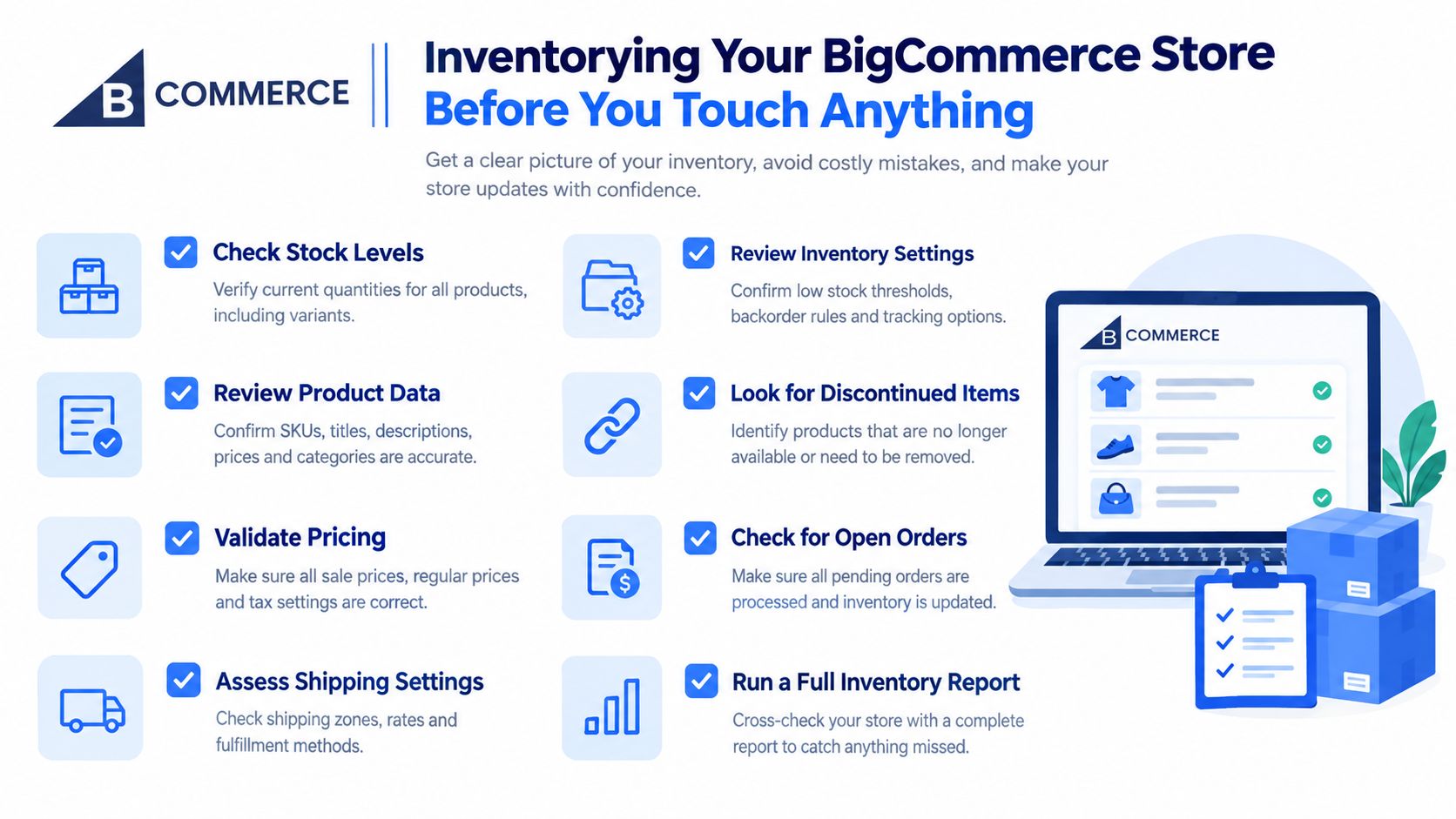
Don't start with an export. Start with an inventory, because you can't map what you haven't named. Crawl the live store, export URL data, and list every object type you'll need to preserve, rebuild, or deliberately retire.
That list should cover products and variants, options and modifiers, categories, customer fields and consent, order history, promotions, pages, blog content, media, metadata, existing redirects, and integrations. Include the ugly parts. Retired products still linked from old campaigns, seasonal categories, and customer groups nobody remembers creating will all show up later if you ignore them now.
<a id="classify-every-field-before-mapping"></a>
Classify every field before mapping
Use four buckets for every field and rule. This simple classification prevents the common mistake of assuming a successful import means a successful transfer.
- Directly portable: Standard titles, SKUs, prices, weights, and basic descriptions that have a clear Shopify equivalent.
- Transformable: Data that moves only after restructuring, such as nested categories becoming collections, menus, tags, or metafields.
- App-dependent: Reviews, wishlists, loyalty balances, subscriptions, and advanced filtering that need a target app and its own import format.
- Custom integration: ERP, PIM, or OMS logic, B2B approvals, and location-level inventory rules that need API work and end-to-end testing.
Pay special attention to records that don't map cleanly. Shopify's own guide flags products with 4+ options, modifier-driven items, nested category trees, and B2B price lists as requiring manual field mapping rather than simple import, as noted in Shopify's BigCommerce to Shopify migration guide. Ask what business rule each of those records represents. A modifier might be a genuine variant, a line-item property, an add-on product, or legacy clutter you should retire.
<a id="build-the-discovery-checklist"></a>
Build the discovery checklist
Document sources of truth while you're at it. Which system owns price, stock, customer consent, and order status today, and which system will own them after launch? Don't let two systems both claim inventory during cutover.
Also record customer realities early. Passwords cannot move as usable Shopify credentials, so account activation and customer communication belong in the project plan, not in launch-week support tickets. Decide how far back order history must go for service, returns, and finance, then write that decision down.
For a structured starting point, work through a Shopify migration readiness checklist with operations, marketing, and finance in the same room. Discovery feels slow. It's cheaper than discovering a missing price list after customers do.
<a id="mapping-and-importing-data-into-a-shopify-development-store"></a>
Mapping and Importing Data Into a Shopify Development Store
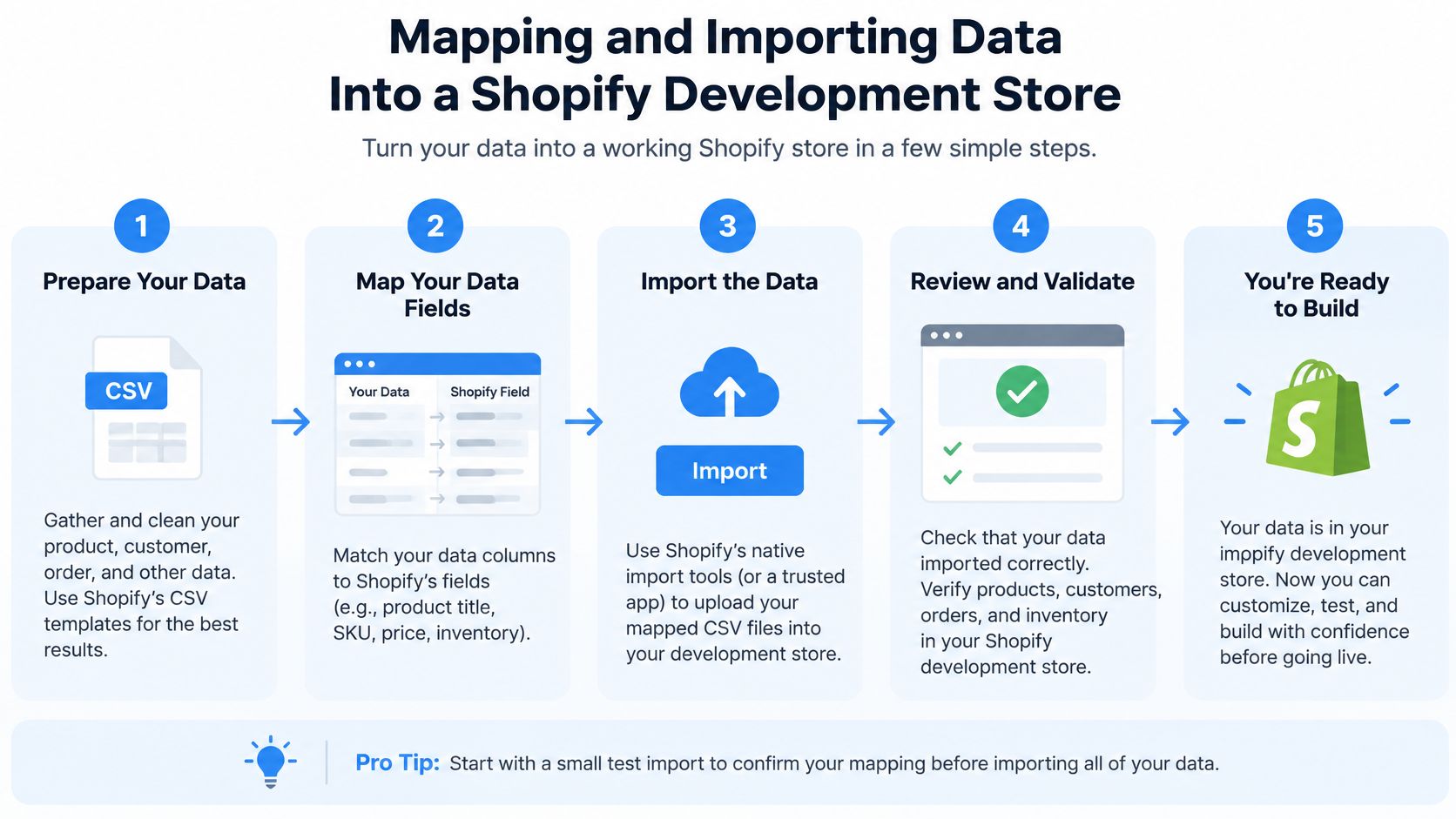
Build in a Shopify development store first and keep the live BigCommerce store untouched while you prove the model. Your first import should be a representative sample, not the entire catalog. Pick simple products, complex variants, modifier-driven items, B2B-priced products, low-stock items, and products with rich media and metafields.
That sample tells you whether your field map works before you've created thousands of bad records. If the sample fails, fixing the mapping is fast. If a full import fails, cleanup becomes the project.
<a id="run-the-import-sequence"></a>
Run the import sequence
Follow a controlled order so relationships resolve correctly.
- Normalize identifiers: Clean SKUs, handles, customer emails, and legacy IDs, and keep a cross-reference between BigCommerce and Shopify records.
- Load products and variants: Validate option structure, prices, compare-at prices, inventory by location, tax settings, images, and metafields.
- Rebuild collections and navigation: Translate categories into Shopify collections and menus based on how customers shop now, not how the old tree grew.
- Import customers and orders: Check addresses, consent fields, tags, order associations, line items, discounts, taxes, and fulfillment status.
- Move content and media: Recreate pages and blog posts, re-host images in Shopify, and replace old internal references rather than leaving BigCommerce-hosted assets behind.
Don't force a deep nested category tree into Shopify just because it exists. Shopify merchandising works better when collections, filters, search, and navigation each do a clear job. Rebuilding that structure during migration often reduces post-launch confusion, even though it takes more thought upfront.
<a id="validate-like-an-operator"></a>
Validate like an operator
Reconcile record counts between source and target for products, variants, customers, and orders. Then compare sampled fields in detail, because matching counts can still hide wrong prices, swapped variant options, or inventory assigned to the wrong location.
A clean import log isn't proof. Proof is a reconciliation report, spot-checked records, and a completed test order that lands correctly in every downstream system.
Test integrations while the store is still private. Run checkout, payment, refund, tax, shipping, transactional email, analytics events, webhooks, and ERP, PIM, and OMS synchronization end to end. Use real product data and realistic addresses, including B2B and international cases if you sell that way.
Plan delta synchronization before the final export. Orders, customers, inventory, and price changes will keep happening on BigCommerce while you build. Decide who owns the freeze, who runs the final delta, and how you'll verify that the last source records arrived before launch. When you transfer BigCommerce to Shopify, that handover discipline protects revenue more than any import tool does.
<a id="protecting-seo-with-301-redirects-and-search-console-setup"></a>
Protecting SEO With 301 Redirects and Search Console Setup
SEO is where a tidy technical migration can still lose money. A reported 2026 analysis estimates that poorly executed ecommerce migrations can lose 20 to 40% of organic traffic and require 6 to 12 months to recover, figures described in a 2026 SEO migration risk news release. Treat that as directional rather than guaranteed, since it's a secondary release, but don't dismiss the warning. The mechanism behind those losses is well understood, mostly broken or irrelevant redirects.
Start by capturing a pre-migration baseline for organic sessions, revenue, indexed URLs, rankings, crawl errors, conversion rate, and top landing pages. Without a baseline, post-launch debate becomes anecdotal. With one, you can spot whether a dip is normal fluctuation or a redirect gap hitting revenue pages.
<a id="build-a-one-to-one-redirect-map"></a>
Build a one-to-one redirect map
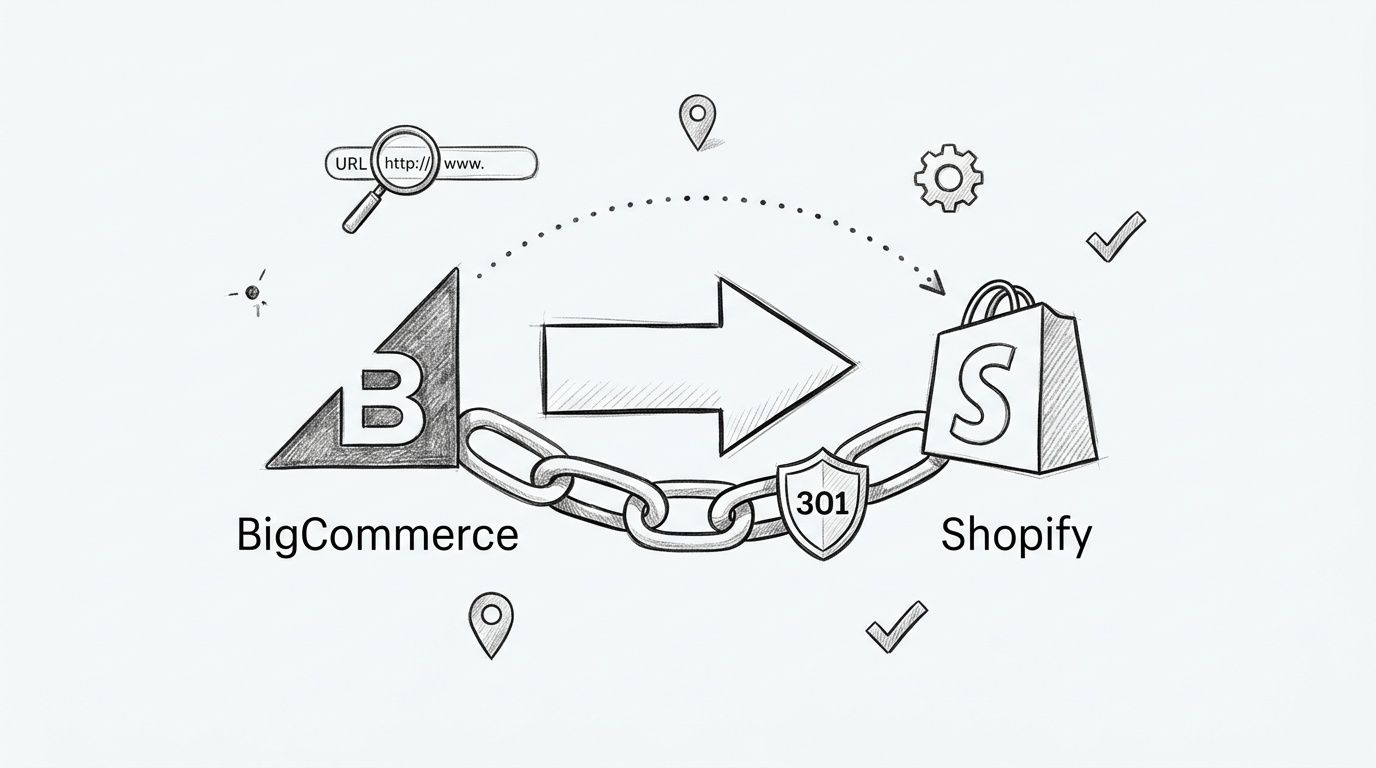
Map every valuable BigCommerce URL to its closest Shopify equivalent and implement permanent 301 redirects. Prioritize by traffic, backlinks, and revenue, but don't stop at product and category pages. Blog posts, buying guides, support pages, and media-linked URLs carry equity too.
Google warns that redirects pointing to nonexistent or incorrect destinations are a frequent migration failure, and its guidance recommends testing redirects individually and at scale, as set out in Google's site move with URL changes documentation. Crawl the old URL list, crawl the new store, and compare status codes, destinations, canonical tags, and indexability before launch.
Watch for the failures that show up repeatedly.
- Collapsed categories: Sending several specific BigCommerce categories to one broad collection dilutes relevance and frustrates shoppers.
- Redirect chains: Old redirects pointing to newer redirects slow resolution and muddy signals, so flatten them to final destinations.
- Variant URL loss: Trailing slash, case, and parameter variants can slip through if your map only covers canonical-looking URLs.
- Stale internal links: Migrated content often keeps old paths, so crawl new pages and rewrite links to final Shopify URLs.
- Missing structured data: Product, review, breadcrumb, and article markup must be recreated and validated, not assumed.
<a id="verify-search-console-and-sitemaps"></a>
Verify Search Console and sitemaps
Verify both old and new properties in Google Search Console, update canonical tags, and submit the new XML sitemap at launch. Check robots directives carefully so a development-store setting doesn't block the production store.
For the broader on-page and technical setup that supports the redirect work, align your launch checks with a complete Shopify SEO guide. Redirects preserve the path. Correct titles, descriptions, headings, internal links, and structured data preserve the reason the page ranked.
<a id="cutover-planning-launch-day-and-the-first-90-days"></a>
Cutover Planning, Launch Day, and the First 90 Days
Cutover is a release, not a reveal. Schedule it away from peak trading, major promotions, and supplier or finance deadlines. BigCommerce merchants recorded a 26% year-over-year increase in gross merchandise value, a 13% increase in total orders, and an 11% increase in average order value during November 28 through December 2 in fiscal 2024 reporting. You don't need that exact volume pattern to learn the lesson. Don't test fulfillment and payments for the first time during your busiest week.
Freeze catalog, price, and content changes before the final export. Announce the freeze to merchandising, marketing, support, and agency partners, and name one person who can approve an exception. Uncontrolled last-minute edits create delta records nobody owns.
<a id="launch-day-runbook"></a>
Launch day runbook
Keep the sequence explicit and assign owners.
- Final delta import: Move late orders, customers, inventory, and content changes, then reconcile counts against BigCommerce.
- Commerce checks: Place test orders for retail, B2B, discount, tax-exempt, and international scenarios that apply to your store, then verify payment capture and refunds.
- Operational checks: Confirm order routing, inventory deduction, fulfillment status, transactional email, support tools, and ERP, PIM, and OMS sync.
- Findability checks: Submit sitemaps, confirm redirects on top landing pages, verify analytics events, and check that paid landing pages resolve correctly.
- Domain switch: Change routing only after launch blockers pass, keep the legacy store available in maintenance mode, and keep a documented rollback path ready.
Don't resume full marketing spend the minute the homepage loads. Watch real orders first. A small number of successful live transactions, correct emails, and clean downstream records tell you more than a staging checklist does.
<a id="monitor-the-first-90-days"></a>
Monitor the first 90 days
For the first weeks, review organic traffic, indexed URLs, crawl errors, redirect hits, conversion rate, average order value, revenue, and integration failures daily. Compare each metric with your baseline and investigate spikes in not-found errors quickly, especially on pages with backlinks or revenue.
Expect small production-only defects. A webhook stalls under real volume. A market-specific tax rule behaves differently with a live address. A customer group sees the wrong price because a tag didn't survive mapping. Log issues by revenue impact, fix the data or rule at the source, and re-test the full path rather than patching a single order.
Escalation rule: If payment, tax, inventory, or order routing is wrong for real customers, pause acquisition and fix operations first. Traffic recovery can wait a day. Fulfillment errors compound by the hour.
Keep the old store accessible to your internal team during stabilization. You'll need it to answer customer questions, compare records, and prove whether a defect came from migration mapping or from a new Shopify rule. Close it only after support, finance, and operations agree that lookups have stopped.
<a id="transfer-checklist-and-post-launch-optimization"></a>
Transfer Checklist and Post-Launch Optimization
Use this checklist as a gate, not as decoration. If an item can't be evidenced, it isn't done.
- Discovery complete: Catalog, customers, orders, content, promotions, integrations, and business rules inventoried and classified.
- Data model rebuilt: Categories, options, modifiers, B2B pricing, consent, and location inventory mapped to Shopify concepts deliberately.
- Development store validated: Sample and full imports reconciled, test orders passed, and integration results recorded.
- SEO protected: Baseline captured, one-to-one 301 map tested, canonicals and sitemaps checked, and Search Console verified.
- Cutover controlled: Freeze, delta sync, rollback path, launch owners, and support communication scheduled.
- Monitoring live: Traffic, indexing, revenue, conversion, email, webhooks, and system sync reviewed against baseline.
<a id="optimize-after-stability"></a>
Optimize after stability
Once orders, indexing, and integrations are stable, use the capabilities that justified the move. Configure Shopify Markets properly for currency, duties, tax, language, and localized merchandising if you sell across regions. Don't treat international setup as a currency toggle.
Use checkout extensibility and Shopify Functions for the rules you documented during discovery, such as B2B payment terms, custom discounts, shipping restrictions, and validation for high-value carts. Then rebuild analytics attribution around the new data layer and confirm that marketing, finance, and operations are reading the same events.
Conversion work comes next. Improve product detail pages, collection filtering, search, navigation, and mobile checkout based on observed behavior in the new store, not assumptions carried over from BigCommerce. Re-validate redirects monthly, watch priority collections and landing pages, and refresh structured data whenever templates or apps change.
When you transfer BigCommerce to Shopify well, launch is parity. The return comes from operating the new platform deliberately after parity, with cleaner data, fewer workarounds, and a store your team can change without fear.
If you're planning to transfer BigCommerce to Shopify and want the data model, redirects, integrations, and cutover handled as one controlled program, visit United Victory Technologies to discuss a migration readiness assessment. Our Shopify-focused team helps established brands protect revenue, customer history, and search equity while rebuilding stores for Shopify and Shopify Plus operations.