
BigCommerce to Shopify Migration Guide for 2026
Move from BigCommerce to Shopify without losing data, SEO equity, or integrations. Get a practical 2026 plan for catalog, redirects, testing, and launch.
It's late, and the team is still exporting products from BigCommerce into spreadsheets. Someone assumes Shopify will be easier once the catalog is across, while the migration lead is trying to work out why customer-specific prices, old product URLs, and ERP updates haven't made the jump with it. That's when a platform project turns into a revenue-risk project.
Moving from BigCommerce to Shopify can open access to a much broader platform ecosystem, but a larger ecosystem won't automatically preserve how your business works. The migration needs to protect search equity, customer and order records, integrations, pricing rules, analytics, and the buying experience at the same time.
Table of Contents
- Why BigCommerce to Shopify Is More Than a Platform Swap
- Audit Data SEO Equity and Business Rules Before You Move
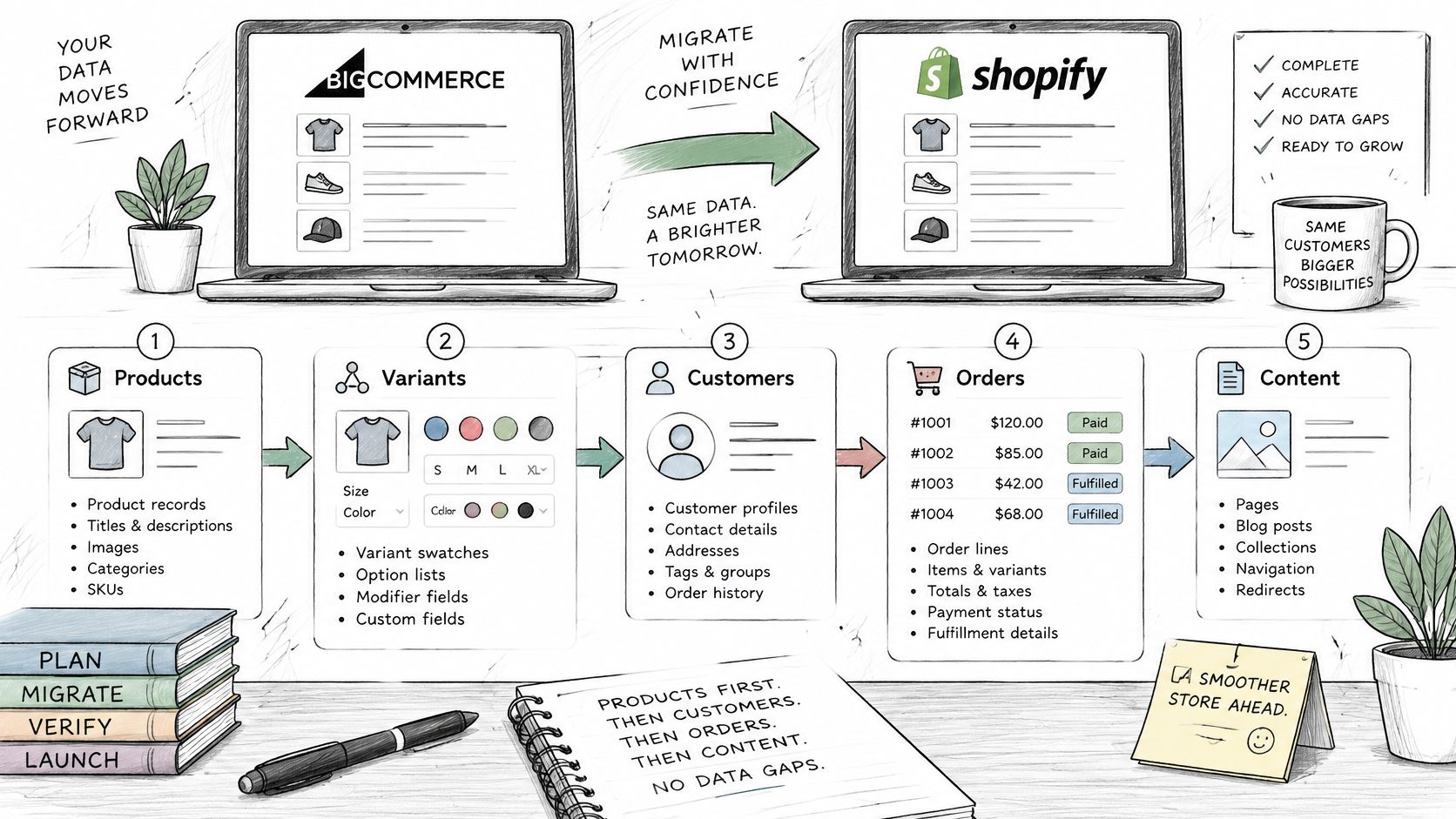
- Migrate Products Customers Orders and Content Without Data Gaps
- Build the Redirect Map and Technical SEO Cutover
- Rebuild Features Integrations and B2B Workflows for Parity
- Test Performance Checkout and Integrations Before Launch
- Choose Your Migration Path and Plan the Next Step
<a id="why-bigcommerce-to-shopify-is-more-than-a-platform-swap"></a>
Why BigCommerce to Shopify Is More Than a Platform Swap
A growing brand usually looks at Shopify for a practical reason: the current setup has become hard to extend, operate, or connect to the tools the business needs. Shopify's scale makes it easier to find apps, themes, developers, and partners. That reach is real. It also hides a gap, because no BigCommerce capability automatically has a Shopify equivalent, so the operating model changes along with the platform.
The scale difference is substantial. For fiscal 2024, Shopify reported approximately $8.88 billion in revenue and $292.275 billion in gross merchandise volume. BigCommerce reported $332.9 million in revenue for the same period, up 8% year over year. GMV and revenue measure different things, so read these figures as scale markers rather than a direct market-share ratio.
Independent 2024 estimates gave Shopify a far larger share of the ecommerce platform market and many times more live sites than BigCommerce. Those counts are directional rather than audited, and they likely include inactive or low-volume stores. They still explain why a move to Shopify widens your access to apps, agencies, and integration partners.
Practical rule: Don't treat platform popularity as proof that your workflows will transfer. Treat it as a reason to evaluate the new ecosystem carefully.
The migration itself splits into independent workstreams. Products and variants must keep their identifiers and relationships. Customer and order records must stay useful for service and reporting. Rankings survive only when each valuable URL lands on a relevant destination. ERP, PIM, OMS, CRM, tax, shipping, and analytics connections must keep exchanging the right data after cutover.
I plan these projects around two questions. Which URLs, customer segments, and price rules carry the most revenue risk if they break? And what replaces each business rule that exists today, whether that is a native Shopify feature, an app, or a custom build? A customer-specific price list, a modifier that changes SKU logic, a net-terms checkout rule: each needs a named replacement and a test it can pass or fail.
A migration succeeds when the new store can sell and operate without losing valuable URLs, customer context, or business rules. If the plan counts imported products but sets no measurable launch gates for rankings, revenue, integrations, and checkout, it is measuring the wrong outcome.
<a id="audit-data-seo-equity-and-business-rules-before-you-move"></a>
Audit Data SEO Equity and Business Rules Before You Move
Start discovery by creating one inventory that connects each item to its business purpose, owner, and acceptance test. “Move the catalog” isn't a useful scope. A product might include multiple variants, custom fields, location-level inventory, and a customer-specific price rule. Each of those can follow a different path in Shopify.
<a id="build-an-inventory-that-captures-how-the-store-operates"></a>
Build an inventory that captures how the store operates
List the data and assets that exist in BigCommerce, then record whether each will be transferred, transformed, rebuilt, replaced, or retired. Include products, variant options and modifiers, customer records, company accounts, order history, refunds, fulfillment details, pages, blog posts, media, navigation, forms, downloadable files, coupon history, and gift cards. Add canonical URLs, metadata, structured data, review content, and any other material customers or search engines rely on.
For each entry, name an owner and define a test that can pass or fail. For example, don't write “migrate order history.” Specify that the order count and financial totals must reconcile, and that support staff can find transaction, refund, fulfillment, and note details in the new workflow.
BigCommerce and Shopify model some features differently. Record how product options, modifiers, custom fields, customer groups, B2B prices, subscriptions, tax rules, and shipping logic work now. Then decide whether each rule should be rebuilt, replaced by an app or external system, or deliberately dropped. A Shopify migration readiness checklist can help teams organize that discovery before they commit to an import method.
<a id="classify-urls-by-value-not-just-type"></a>
Classify URLs by value, not just type
A redirect spreadsheet shouldn't give every old address equal priority. Combine a full crawl with analytics, Search Console, backlink, product-feed, and internal-link data. Use those inputs to sort URLs into four dispositions:
- Retain: Preserve the page's purpose and send the old URL to its closest relevant Shopify equivalent.
- Consolidate: Combine overlapping pages when one stronger destination can serve the same intent.
- Redirect: Point a retired URL to a relevant replacement, not a generic homepage.
- Retire: Remove pages with no continuing business or search purpose, and document the decision.
For every URL, track its revenue importance, organic landing-page value, rankings for commercial terms, backlinks, and role in assisted conversions when those data are available. This turns “redirect everything” into a prioritization method the business can review.
<a id="give-every-capability-a-migration-disposition"></a>
Give every capability a migration disposition
Use a parallel model for operating rules: rebuild, replace, or retire. A customer-specific price list might need a new platform feature or an app. A legacy promotion that nobody uses might be retired. An ERP sync may stay, but require a new connector and a clear owner for monitoring failures.
The result should be a migration backlog with owners, data direction, failure consequences, replacement choices, and acceptance criteria. That backlog is more useful than a blanket commitment to move everything because it shows what the business is preserving, changing, and intentionally leaving behind.
<a id="migrate-products-customers-orders-and-content-without-data-gaps"></a>
Migrate Products Customers Orders and Content Without Data Gaps
A migration tool can move records faster than a team can re-enter them, but it can't decide whether BigCommerce options map correctly to Shopify variants or whether a customer's pricing rule matters. Treat automation as a transfer mechanism. Apply normalization rules before import, and test the resulting records against the business requirements from discovery.
<a id="start-with-product-structure-and-identifiers"></a>
Start with product structure and identifiers
Map products and variants before moving customers or historical orders. BigCommerce options and modifiers don't always line up neatly with Shopify's variant structure. Decide which selectable options become variants, which remain product details, and which need a Shopify app or custom behavior. Map BigCommerce custom fields to Shopify metafields where appropriate, and confirm each field's type, allowed values, and use in storefront filters or integrations.
Preserve stable product identifiers such as SKUs and any external IDs used by the ERP, PIM, or inventory system. Normalize handles, tags, collections, and variant combinations before import. BigCommerce categories may become Shopify collections, but that's a mapping decision, not an automatic one-to-one conversion. Verify that product images, inventory, prices, and any customer-specific price data land where the storefront and connected systems expect them.
Automate repeatable transformations, such as field renaming or category mapping. Rebuild logic that depends on Shopify features or a new app. Don't force a direct field copy when the two platforms assign different meanings to the data.
<a id="treat-customer-access-and-order-history-separately"></a>
Treat customer access and order history separately
Move customer profiles, addresses, segmentation, consent information, tax-exempt status, and company-account details according to the new account model. Customer passwords usually can't be transferred cleanly between platforms, so prepare a customer communication and account reactivation process rather than promising uninterrupted password access.
Historical orders need their own mapping rules. Preserve the fields needed for service and reporting, including line items, transactions, refunds, fulfillments, notes, and financial totals. Make sure an order isn't represented as paid or fulfilled when its underlying transaction or fulfillment status says otherwise. For integrations, keep customer and order identifiers stable where possible, or maintain an explicit cross-reference between the old and new IDs.
<a id="rebuild-content-and-validate-the-result"></a>
Rebuild content and validate the result
Transfer pages, blog posts, media files, navigation, forms, and downloadable assets. Review internal links embedded in editorial content, product descriptions, and navigation, and update image references where they still point to BigCommerce-hosted files. A successful page import can still leave broken images or links behind.
Before launch, run a validation report that compares source and destination record counts, variant counts, image availability, inventory totals, order totals, and financial totals. Investigate mismatches rather than dismissing them as import noise. Near cutover, plan how new products, price changes, customer updates, and orders will be reconciled so the final store doesn't launch with stale data.
<a id="build-the-redirect-map-and-technical-seo-cutover"></a>
Build the Redirect Map and Technical SEO Cutover
BigCommerce and Shopify use different URL structures, so preserving every path exactly isn't always possible. That makes a one-to-one mapping between each indexable old URL and its Shopify destination a core migration artifact, not a task to leave until the storefront is finished. A redirect is only useful when the destination serves a similar purpose.
<a id="build-the-map-from-complete-url-and-business-data"></a>
Build the map from complete URL and business data
Crawl the BigCommerce store and combine that list with URLs found in analytics, Search Console, backlinks, product feeds, and internal links. Include product, category, blog, content, faceted, campaign, and legacy URLs. For each URL, choose a Shopify destination or document why it should be consolidated or retired.
Prioritize by business risk. A product page that drives organic revenue or has valuable external links deserves a more careful match than an obsolete campaign page with no continuing value. For consolidated pages, check that the destination is relevant to the old page's content and intent. Sending many unrelated URLs to the homepage may create poor user experiences and search-engine soft-404 signals.
| URL group | Shopify destination rule | Redirect check | Launch risk if missed |
|---|---|---|---|
| Products and variants | Match the product or closest equivalent page | Confirm SKU or product mapping and page relevance | Lost product discovery and stranded search value |
| Categories | Map to the appropriate collection | Check collection contents and canonical behavior | Visitors land in the wrong product group |
| Blog posts | Preserve the article's subject and intended audience | Check blog path, internal links, and metadata | Editorial links lead to an irrelevant page |
| Content pages | Match the page purpose, or document retirement | Verify destination status and page content | Broken customer journeys and avoidable errors |
| Faceted and filtered URLs | Retain only when a useful destination exists | Check canonicals, indexing intent, and pagination | Duplicate or low-value URLs remain exposed |
| Campaign and legacy URLs | Use an active, relevant destination or retire intentionally | Test the specific URL and document the choice | Campaign links break or redirect indiscriminately |
<a id="test-the-redirect-rules-before-launch"></a>
Test the redirect rules before launch
Use permanent, server-side redirects for URLs that have moved. Test source and destination pairs before cutover, including redirects for older URLs that may not appear in the current navigation. Check for redirect chains, loops, irrelevant destinations, and missed paths. A successful response alone isn't enough; the landing page must be the right one.
Review Shopify canonicals, metadata, structured data, pagination, robots directives, and sitemap coverage. Look for duplicates, missing titles and descriptions, broken internal links, and URLs that should not be indexed. Product and category redirects won't compensate for missing blog, faceted, campaign, or legacy URLs. A technical Shopify SEO guide can support the broader technical review, but the redirect map still needs to reflect your store's actual URL inventory.
At cutover, reconcile any final data changes, activate the redirects, submit the new sitemap through Search Console, and monitor both old and new URL sets. Google's site-move guidance for URL changes recommends preparing a URL map, using permanent redirects, submitting a sitemap, monitoring traffic, and retaining redirects for at least one year.
A redirect spreadsheet is not a launch gate until someone has tested its destinations against the actual old URLs.
Set explicit checks for redirect coverage, crawl errors, indexed-page counts, organic landing-page sessions, revenue, and conversion rate. Review them during the first 24–72 hours, then again at 7, 30, and 90 days. Those checkpoints help the team spot a technical miss before it becomes an unexplained revenue decline.
<a id="rebuild-features-integrations-and-b2b-workflows-for-parity"></a>
Rebuild Features Integrations and B2B Workflows for Parity
A catalog can look correct while the business runs incorrectly. The harder migration question is whether Shopify supports the rules behind customer pricing, approvals, fulfillment, and market-specific checkout. For each capability, decide whether Shopify handles it directly, whether the business needs an app or custom development, or whether an external system should remain responsible.
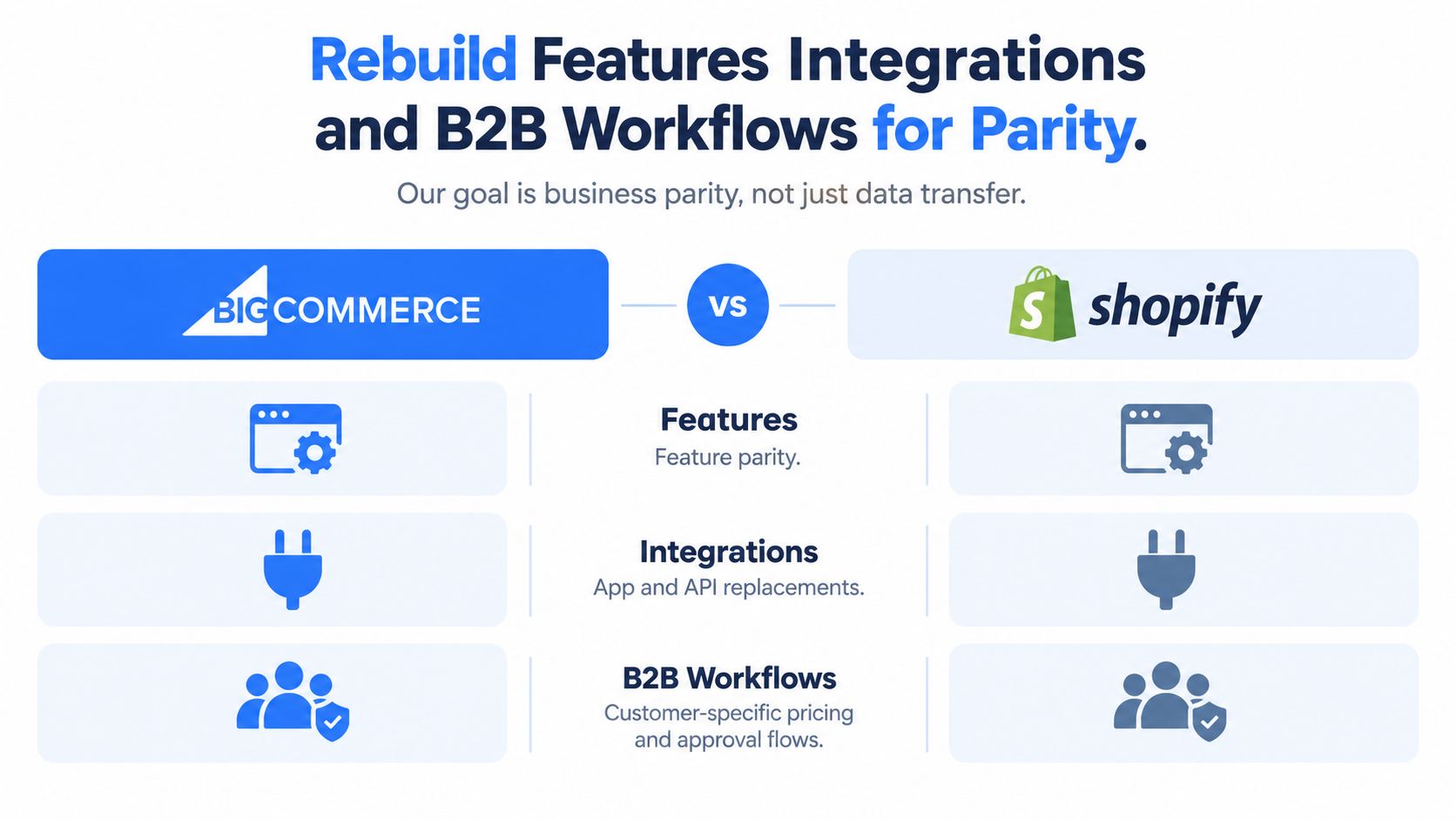
Build a parity matrix that captures the operational owner and failure path, not only the proposed feature:
| Capability | Replacement decision | What the team must prove |
|---|---|---|
| Customer-specific pricing and catalogs | Shopify B2B capability, app, or external pricing logic, depending on the requirement | The correct buyer sees the correct products and prices |
| Quotes and approvals | Rebuild through an appropriate workflow, app, or custom development | A quote can become an order without losing approved terms |
| Promotions | Recreate required rules, then retire unused or conflicting logic | Discounts apply correctly in realistic cart scenarios |
| Tax and shipping | Configure Shopify and required services around existing obligations | Rates and rules behave correctly for relevant markets |
| Subscriptions and refunds | Select replacement tooling and define ownership | Changes, cancellations, refunds, and customer notifications stay consistent |
| Inventory and fulfillment | Connect Shopify to ERP, PIM, or OMS as appropriate | Reservations, split shipments, and updates reconcile after an error |
| Analytics events | Rebuild the event schema and downstream mappings | Reporting and marketing systems receive consistent events |
BigCommerce can support multi-storefront and higher-tier B2B functionality, while Shopify uses different architectural building blocks. Some requirements may depend on Shopify Plus features, apps, custom work, or external systems. Don't accept “Shopify supports it” as a parity decision. Record the replacement method, data direction, business criticality, owner, and consequence of failure.
<a id="test-real-workflows-including-failure-recovery"></a>
Test real workflows, including failure recovery
Walk through a B2B quote-to-order scenario with a real customer type and price list. Confirm that the correct account sees the right catalog, obtains any required approval, and places an order with the expected terms. Test multi-market checkout with relevant currencies, payment options, tax, and shipping behavior. Also test split shipments, inventory reservations, subscription changes, refunds, and the response when an ERP or OMS connection is unavailable.
Shopify can reduce platform complexity while increasing dependence on well-governed integrations. If an app becomes the source of truth for a business rule, someone needs to own its configuration, monitoring, and recovery procedure. For teams evaluating custom implementation and Shopify Plus architecture, a Shopify Plus development partner is one option to consider alongside internal development and app-based approaches.
A good parity decision may also be to retire a rule. If an old promotion or workflow has no business owner and causes confusion, copying it only preserves complexity. Record what's being retired and make sure the affected teams understand the change.
<a id="test-performance-checkout-and-integrations-before-launch"></a>
Test Performance Checkout and Integrations Before Launch
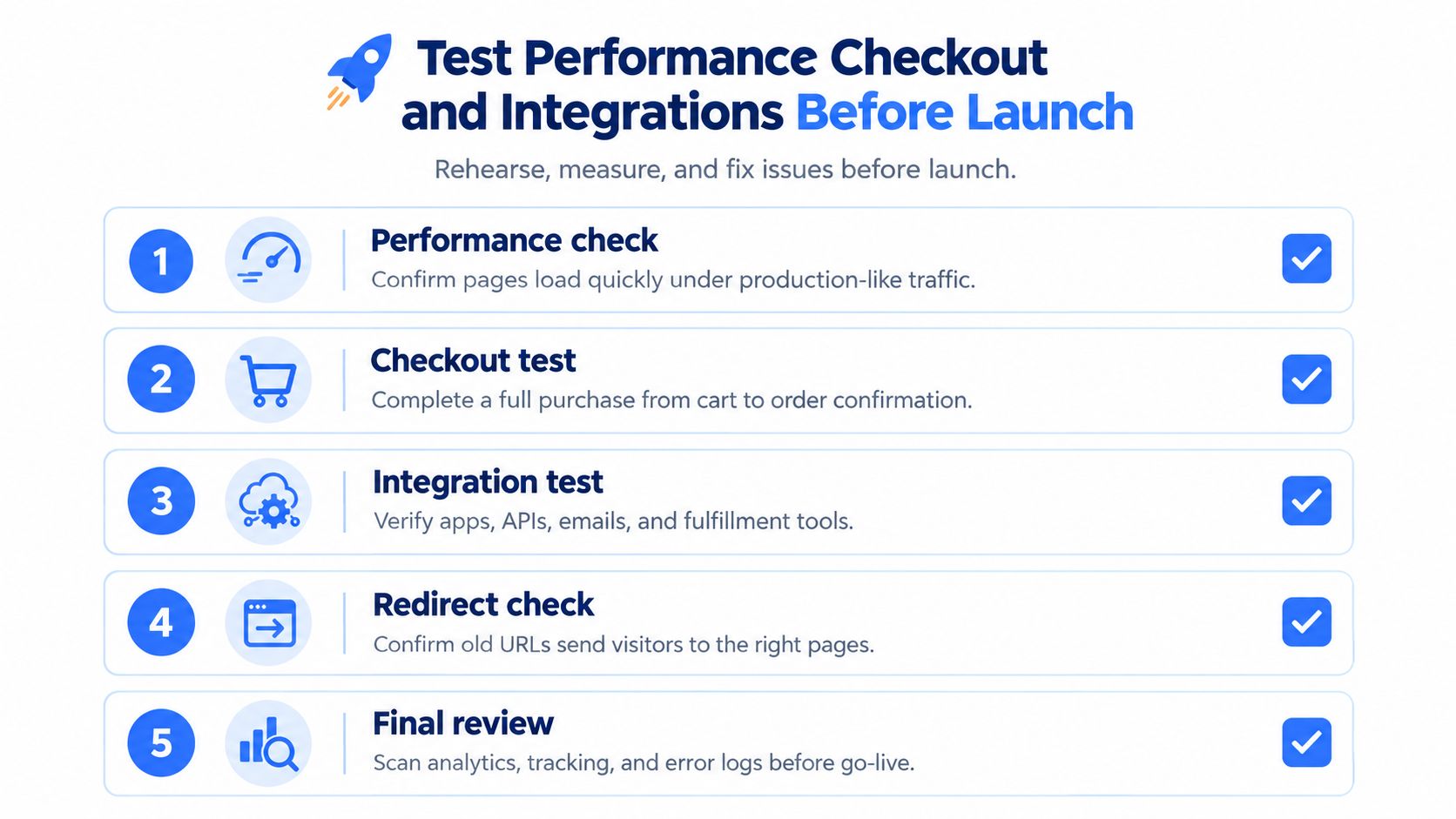
The migration isn't ready because the import completed. It's ready when a production-like rehearsal confirms that shoppers can complete purchases, systems exchange accurate records, tracking captures the journey, and the new pages work under realistic conditions. Set these checks as release gates, with owners who can call a no-go.
<a id="rehearse-with-production-like-data-and-failure-cases"></a>
Rehearse with production-like data and failure cases
Run a full migration rehearsal using data that reflects real catalog structures, customer records, orders, and integration dependencies. Reconcile record counts and financial totals. Crawl the Shopify preview for broken links, duplicate canonicals, missing metadata, incorrect pagination, and pages that shouldn't be indexed.
Test ERP, PIM, OMS, and CRM synchronization in both normal and failure conditions. For example, verify what happens when an inventory update is delayed or an order message can't be delivered. Confirm who sees the error, how the team retries the transaction, and how the business avoids duplicate or missing records.
<a id="test-storefront-speed-and-the-buying-journey"></a>
Test storefront speed and the buying journey
Keep app and tag duplication under control, compress product media, and reserve image dimensions to reduce layout shifts. Test representative mobile templates on throttled networks rather than relying on a fast office connection. HTTP Archive's 2025 ecommerce dataset reports that 76% of sampled Shopify origins passed all three Core Web Vitals, compared with 33% for WooCommerce. The same dataset reports Shopify rates of 92% for good LCP, 99% for good INP, and 82% for good CLS. These are ecosystem benchmarks, not a promise about your storefront. HTTP Archive's 2025 ecommerce report provides the figures and context.
Instrument the checkout journey from product view through add-to-cart, checkout start, payment failure, and purchase. Segment results by device, market, traffic source, and new or returning customer status. Test payment methods, shipping calculations, tax behavior, order confirmation, refunds, and relevant customer notifications.
Checkout matters because usability problems can erase the value of a successful platform transfer. Baymard reports approximately 70% cart abandonment overall, estimates that the average large ecommerce site could achieve a 35% conversion-rate increase through checkout UX improvements, and reports an average checkout of 5.1 steps and 11.3 form fields, with 17% of users abandoning because of checkout complexity. Baymard's checkout usability research gives useful context, but your own store's baseline should guide the decision to launch and subsequent improvements.
Release rule: Compare post-launch behavior with your own pre-migration baselines. Don't credit or blame the platform for a change until you've checked traffic mix, payment failures, tracking, and storefront errors.
For the first 24–72 hours, watch redirects, crawl errors, checkout completion, payment failures, integration incidents, and refund anomalies. Recheck indexed pages, organic landing sessions, revenue, and conversion rate at 7, 30, and 90 days. A complete import without working analytics or healthy orders isn't a successful release.
<a id="choose-your-migration-path-and-plan-the-next-step"></a>
Choose Your Migration Path and Plan the Next Step
The right delivery model depends on how much the store's data, search footprint, integrations, and business rules diverge from a standard catalog. A simple transfer may not justify a large delivery team. A multi-market business with B2B pricing and ERP dependencies may find that a spreadsheet-only approach shifts project cost into post-launch recovery.
| Migration path | Best fit | Main trade-off |
|---|---|---|
| DIY with migration apps | A straightforward catalog, limited custom rules, and a team able to own validation | Lower implementation overhead, but the merchant must manage mapping, QA, and SEO risk |
| Hybrid internal team and specialist | Mid-market stores with internal platform knowledge and selected complex workstreams | Keeps business owners close to decisions, while requiring clear division of responsibilities |
| Migration partner | Stores with significant SEO equity, complex integrations, B2B rules, regional operations, or a compressed timeline | Adds specialist support, but still requires merchant participation and clear ownership |
Choose DIY only when the team can test the result and resolve gaps without putting the live store at risk. A tool can transfer records, but it won't decide whether to consolidate two collections or how an approval flow should work. In a hybrid model, assign one owner for each workstream and define who signs off on URLs, integrations, customer data, and checkout. For a partner-led project, verify that the team can explain its migration method, data validation, redirect testing, cutover responsibilities, and post-launch support.
United Victory Technologies is a Shopify Select Partner that handles structured BigCommerce migrations, data and content transfer, redirect planning, integrations, and post-launch support. Its delivery model rebuilds storefront UX for Online Store 2.0 rather than copying legacy templates, and it works under NDA. That approach can suit established merchants who need migration execution alongside Shopify development and ongoing optimization.
Before committing to a cutover date, assemble the audit inventory, score URL and capability risk, assign owners, and set release gates. Then request a migration readiness assessment so your team can identify unresolved data, SEO, integration, and operating-model decisions before the schedule becomes a launch promise.
United Victory Technologies helps established merchants plan and deliver BigCommerce-to-Shopify migrations, including data mapping, SEO redirects, integrations, and post-launch support. Bring your catalog, URL inventory, and critical business workflows to a migration readiness assessment, then visit United Victory Technologies to discuss the right path for your store.