
Moving from Wix to Shopify: A Practical 2026 Guide
Planning moving from Wix to Shopify in 2026? Learn how to migrate products, customers, content, and SEO without losing traffic or sales.
Your Wix store still takes orders, but the team spends too much time working around it. Merchandising wants better product pages, operations wants cleaner system connections, and customer service needs dependable access to purchase history. Moving platforms sounds sensible until someone asks what happens to returning customers, marketing permissions, and the pages that bring in organic revenue.
Moving from Wix to Shopify is a business continuity project, not just a catalog import. The new store needs to recognize your customers, respect their consent, preserve useful search destinations, and support the people running it. A polished homepage won't compensate for getting those foundations wrong.
Table of Contents
- Why Established Brands Are Leaving Wix for Shopify
- Running a Migration Readiness Audit Before You Touch Anything
- Migrating Products, Customers, and Orders in the Right Order
- Handling Customer Identity, Consent, and Password Resets
- Preserving SEO Through the Replatform Without Gambling Rankings
- Rebuilding the Design for Shopify's Section-Based Themes
- Your Post-Launch Operating Plan for the First 90 Days
<a id="why-established-brands-are-leaving-wix-for-shopify"></a>
Why Established Brands Are Leaving Wix for Shopify
The decision usually starts with a request your team can't deliver comfortably. Perhaps wholesale buyers need a different purchasing experience, regional teams need clearer merchandising control, or your ERP connection requires another manual workaround. None of those frustrations alone proves you should migrate, but together they justify evaluating a commerce-focused platform.
Wix isn't an insignificant starting point. It reported approximately 304.2 million registered users who had started the website-building process by the end of 2025, and $1.99 billion in annual revenue, according to its annual filing. That reach reflects a substantial website-building ecosystem, not a reason to dismiss everything you've built there.
<a id="evaluate-fit-rather-than-platform-popularity"></a>
Evaluate fit rather than platform popularity
Shopify has a larger measured ecommerce footprint. The HTTP Archive's 2025 ecommerce analysis detected Shopify on 21.5% of analyzed ecommerce sites, compared with 7.8% for Wix eCommerce. That provides useful ecosystem context, but it doesn't establish that your store will convert better after a move.
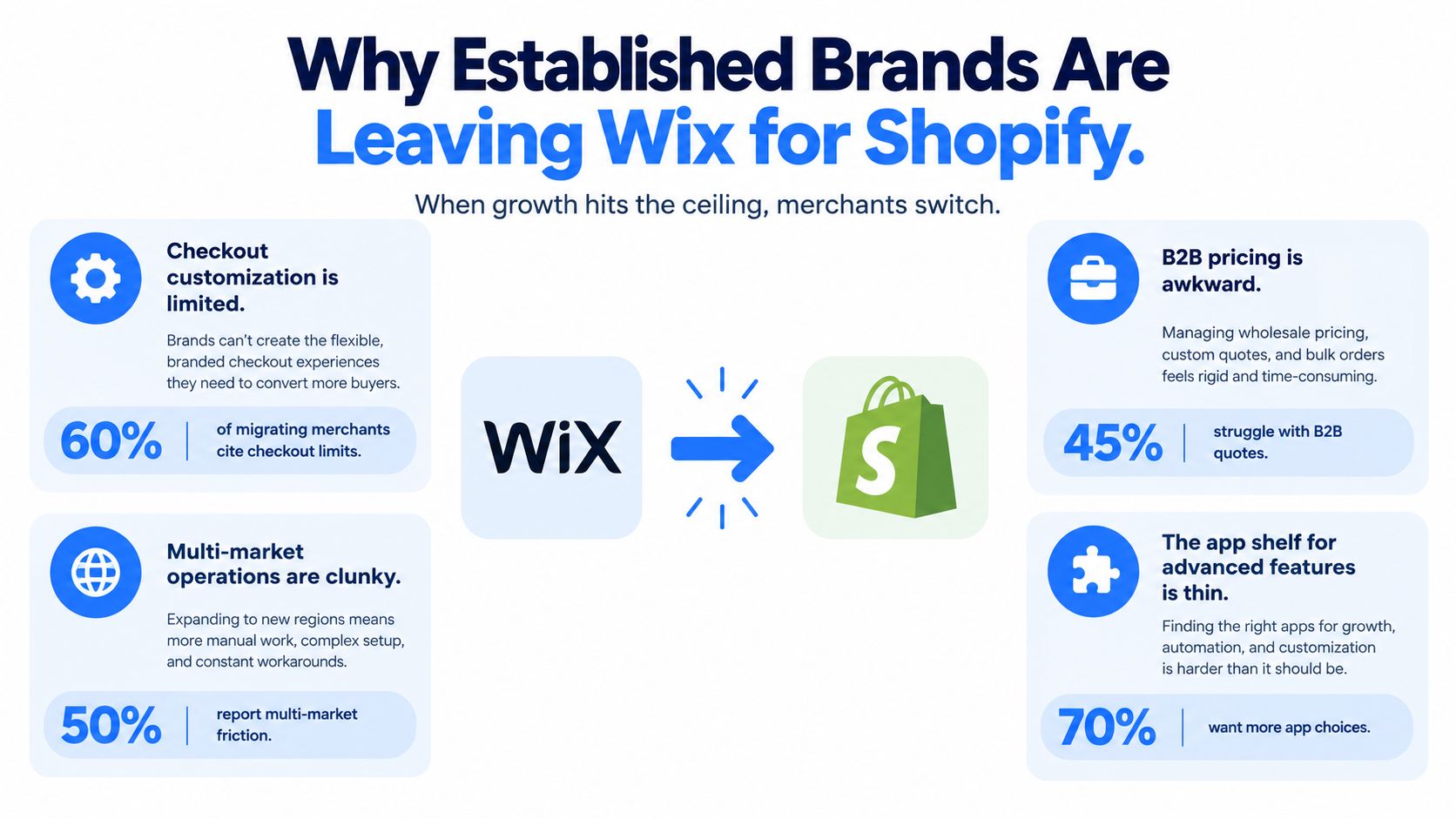
Treat checkout flexibility, B2B workflows, international operations, and integration availability as requirements to verify, not automatic benefits. Ask the implementation team to demonstrate your actual use cases on the proposed Shopify plan. An attractive app listing isn't proof that an integration handles your pricing rules, inventory ownership, or exception workflows.
<a id="write-a-business-case-the-team-can-test"></a>
Write a business case the team can test
Keep the migration rationale on a single page, organized around business outcomes:
- Catalog scale: Identify the merchandising changes your team needs to publish without developer intervention.
- Conversion opportunities: Name the customer friction you intend to remove, without assuming a platform change guarantees improvement.
- Integration depth: Specify which manual handoffs should disappear and which system owns each field.
- Operational cost: Compare subscriptions, apps, implementation, maintenance, and staff effort rather than platform fees alone.
Decision rule: Migrate when a demonstrated operating advantage outweighs the disruption, not because another platform has a larger audience.
Shopify can introduce its own complexity through app dependencies and custom development. The strongest business case explains both what you're gaining and what your team will need to maintain.
<a id="running-a-migration-readiness-audit-before-you-touch-anything"></a>
Running a Migration Readiness Audit Before You Touch Anything
Start with an inventory that someone outside the development team can understand. Your readiness audit should record what exists, why it matters, who owns it, and how you'll prove it survived. An export folder without those decisions is a backup, not a migration plan.
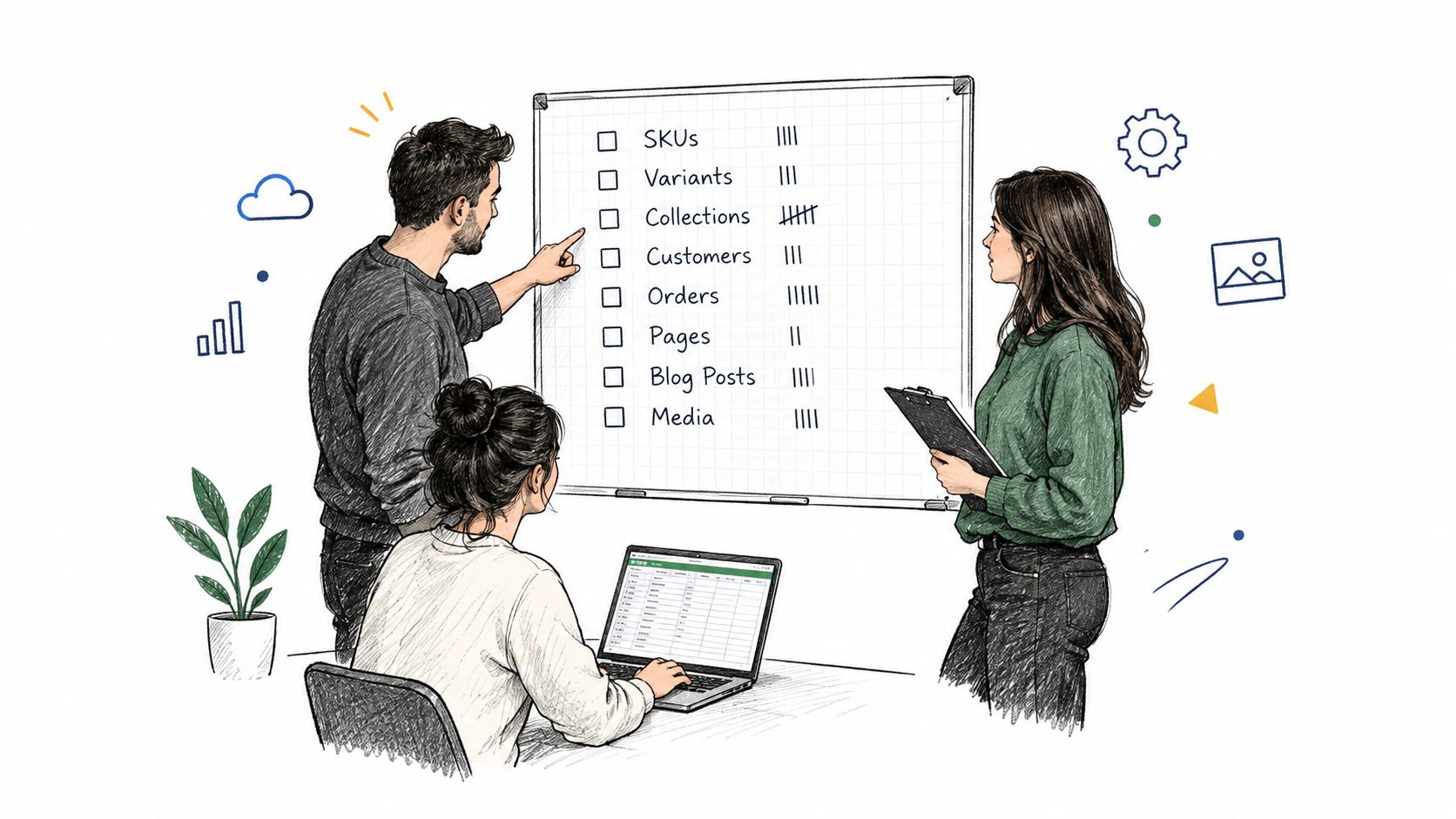
Use a shared spreadsheet with separate tabs for commerce data, content, integrations, customer governance, and launch dependencies. Record source locations and responsible owners so the project doesn't depend on someone remembering where a script or custom field lives.
<a id="build-a-scorecard-around-decisions"></a>
Build a scorecard around decisions
| Asset or dependency | Readiness question | Required decision |
|---|---|---|
| Products and variants | Are identifiers and required fields consistent? | Clean, map, or exclude |
| Customer records | Is identity and consent evidence available? | Resolve governance gaps |
| Pages and media | Does the asset still serve customers or search visitors? | Migrate, rebuild, or archive |
| ERP and CRM connections | Which system owns updates? | Define direction and ownership |
| Custom code and scripts | What business function does each perform? | Replace, rebuild, or retire |
| Analytics identifiers | Can reporting continue across the move? | Document measurement handoff |
Score business criticality separately from implementation difficulty. A simple consent field may carry greater risk than a complicated promotional widget. Capture expected failure impact, unresolved dependencies, acceptance evidence, and the person authorized to approve each item.
The Shopify migration readiness checklist can help structure that planning artifact. Adapt it to your operating model instead of treating every listed item as equally important.
<a id="separate-cleanup-from-scope-expansion"></a>
Separate cleanup from scope expansion
Flag duplicate records, incomplete shipping information, custom merchandising fields, and undocumented third-party scripts. Don't start correcting everything immediately. Decide which defects block launch and which belong in the optimization backlog.
For integrations, document the actual workflow: where a product change begins, how inventory updates reach the storefront, and where staff resolve an order exception. Then identify what must remain available during cutover, including domain ownership, payment administration, and support access.
Readiness means every critical dependency has an owner and an acceptance test. It doesn't mean the spreadsheet has no empty cells. An explicitly documented blocker is more useful than a reassuring green status with no evidence behind it.
<a id="migrating-products-customers-and-orders-in-the-right-order"></a>
Migrating Products, Customers, and Orders in the Right Order
An import can finish successfully while leaving the store operationally wrong. Products may exist without the expected variant relationships, and historical orders may point to the wrong customer profile. Build the migration around dependencies and reconciliation, not the import tool's completion message.
Shopify's migration guidance supports CSV transfers for simpler product catalogs and customer lists, with APIs available for more complex products, customers, orders, and transactions. It also identifies duplicate SKUs, missing images, and absent shipping weights as import failure points. Choose the method based on data complexity and validation needs, not just catalog size.
<a id="load-dependencies-before-dependent-records"></a>
Load dependencies before dependent records
Normalize the source fields into the target schema before importing. Keep a mapping between Wix identifiers and Shopify identifiers so the team can trace records after migration.
- Products and variants first: Validate option combinations, pricing, image assignments, inventory, and shipping weights. Check that a customer selecting a size or color reaches the intended variant.
- Customers after identity review: Import approved profiles using the agreed mapping. Keep unresolved records outside the production batch rather than guessing.
- Historical orders after their references exist: Map customer and product relationships, then inspect discounts, tax lines, refunds, and guest purchases.
- Balances through a separate path: Handle gift cards and store credits where applicable, with explicit liability reconciliation and ownership.
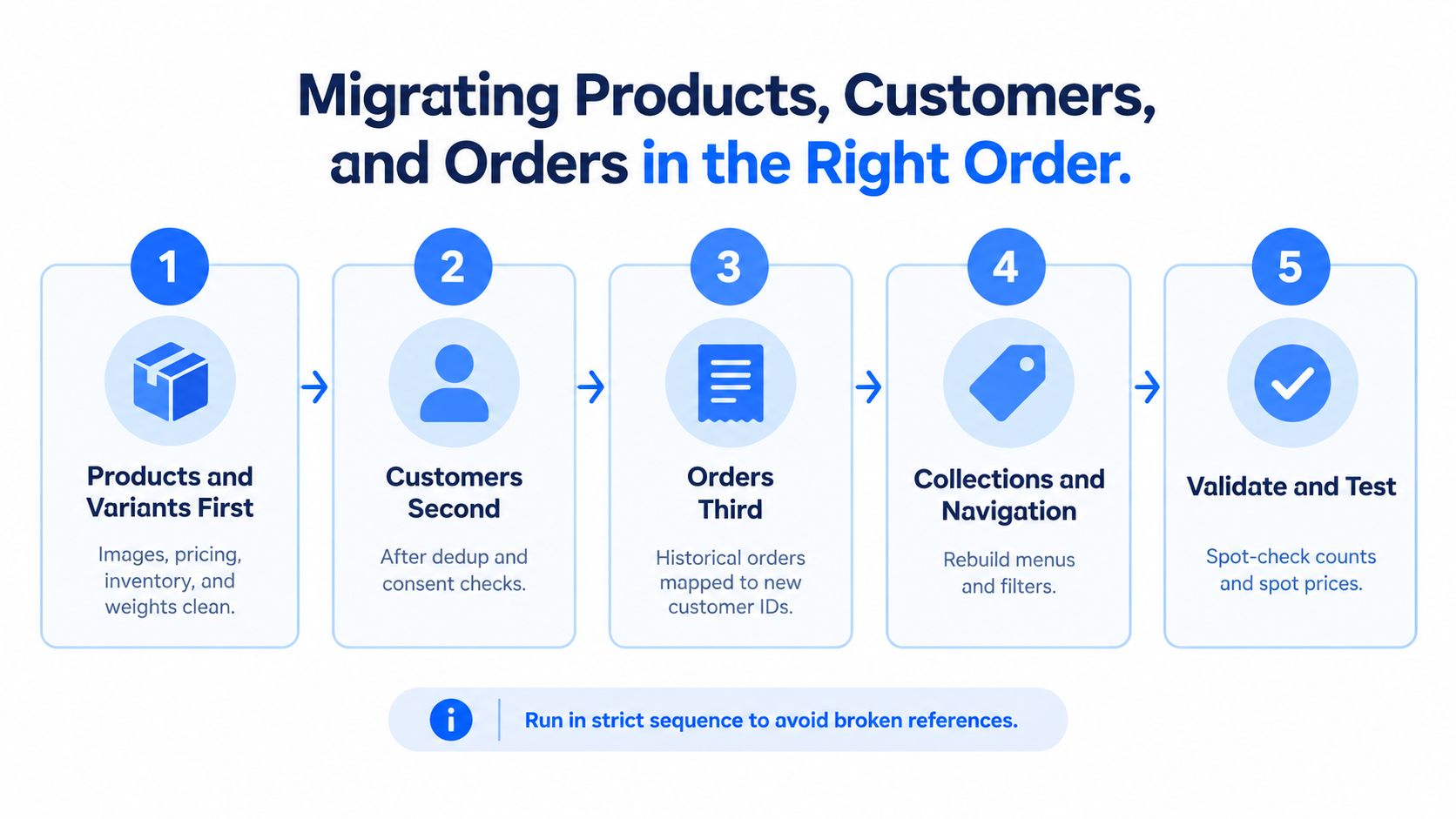
Rebuild collections and navigation against the approved catalog, then validate the resulting shopping paths. Don't assume every historical order can use the same native CSV route as a product import. Confirm the required tooling and supported fields before committing to scope.
<a id="reconcile-records-and-behavior"></a>
Reconcile records and behavior
Run a dry migration in a non-production store. Compare source and target counts for products, variants, customers, orders, and images, alongside monetary totals and a documented list of intentional exclusions.
Counts aren't enough. Sample complex variant products, customer addresses, discount combinations, refunded orders, and tax treatment. For refund history, verify what staff can see and do in the destination rather than assuming every source behavior transfers intact.
A matching order count doesn't prove matching order history. Support staff need to find the purchase, understand its financial state, and follow the agreed returns process.
Repeat reconciliation at cutover using the final dataset. Either freeze writes during the agreed window or delta-migrate transactions created since the initial export. Document who authorizes reopening sales and retain a rollback or controlled dual-run plan that addresses transactions received during the transition.
<a id="handling-customer-identity-consent-and-password-resets"></a>
Handling Customer Identity, Consent, and Password Resets
A customer row isn't the same thing as a usable customer account. The migration needs to preserve identity relationships, communication permissions, and a login experience returning buyers can understand. Treating those as incidental CSV fields creates avoidable retention and support risk.
Customer passwords can't transfer through a standard Shopify customer CSV because the credentials are encrypted, as discussed in this Wix-to-Shopify failure-point guide. The correct response depends on the account experience you're implementing. Test whether customers need activation, a password reset, or instructions for a passwordless sign-in flow, then communicate that exact journey.
<a id="establish-identity-rules-before-merging"></a>
Establish identity rules before merging
Use email and external customer IDs as matching inputs, but don't merge profiles blindly. Preserve source identifiers in the mapping ledger, flag conflicting records for review, and decide how guest purchases attach to recognized customers.
A duplicate email doesn't resolve every conflict. Your team still needs rules for conflicting addresses, inconsistent names, separate business accounts, and CRM records with different permissions. Prefer an explicit exception queue over an aggressive merge that nobody can explain later.
<a id="make-consent-review-auditable"></a>
Make consent review auditable
Build a consent-field matrix before importing approved profiles:
| Field | Review requirement |
|---|---|
| Email marketing status | Preserve permission and suppression states |
| SMS marketing status | Review separately from email permission |
| Consent evidence | Retain available timestamps, source, and context |
| Customer market | Route applicable rules to the privacy owner |
| Segmentation tags | Distinguish behavior labels from permission |
| External identifiers | Maintain CRM, loyalty, and ERP relationships |
Ask your privacy owner to approve market-specific handling. Don't convert missing evidence into permission, or assume a migration announcement authorizes promotional messaging. Review operational account notices separately from marketing campaigns.
Loyalty balances, subscription relationships, and store credit deserve their own mapping and acceptance tests. They shouldn't be considered complete because the customer profile imported.
A practical customer notice should say:
We're updating our online store. Your account sign-in process will change at launch. We'll send instructions when the new sign-in page is ready, and our support team can help if your purchase history doesn't appear as expected.
Use that as draft brand copy, not a promise that unverified history or balances will be available. Announce the change through permitted channels before launch, send the tested access instructions when they're usable, and prepare support responses for failed sign-ins and missing records.
<a id="preserving-seo-through-the-replatform-without-gambling-rankings"></a>
Preserving SEO Through the Replatform Without Gambling Rankings
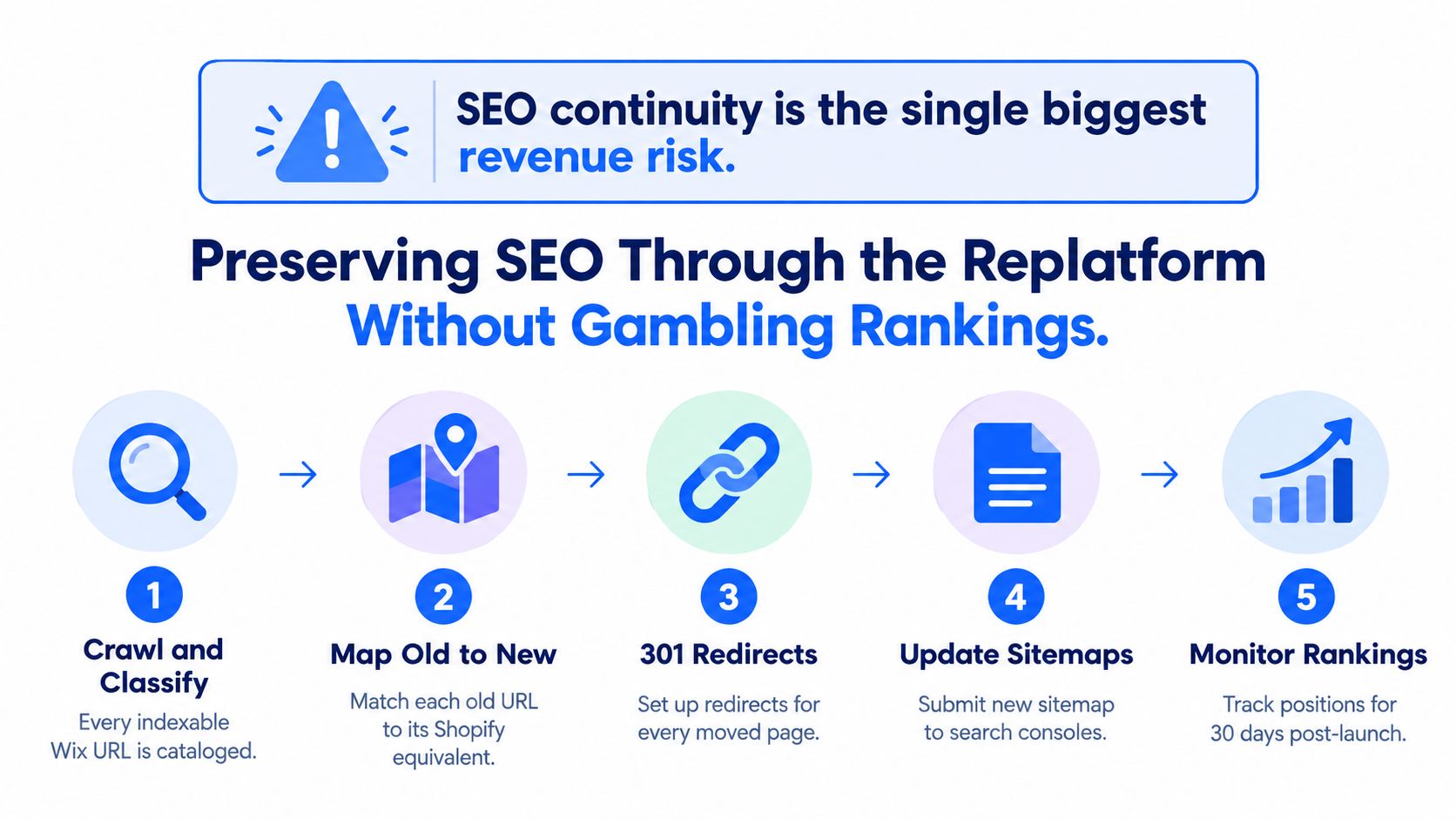
SEO is an operating event with revenue exposure, not a redirect spreadsheet someone uploads at the end. A moved page needs a relevant destination, intact content signals, working internal links, and observable performance after launch. Redirects are necessary, but they can't compensate for removing the substance that made a page useful.
Build the URL inventory from a live crawl, content records, analytics landing pages, and backlink destinations. Shopify's Wix migration guidance calls for reviewing and redirecting Wix URLs; use the previous 12 months of Search Console impressions to inform prioritization and establish a 30–60-day monitoring window for the transition. Neither window is a promise that rankings will stabilize on schedule.
<a id="prioritize-exposure-rather-than-url-volume"></a>
Prioritize exposure rather than URL volume
Give engineering and editorial attention to pages according to business and search value:
| Priority signal | Migration response |
|---|---|
| Organic revenue and conversion | Preserve buying intent and merchandising relevance |
| Clicks and impressions | Inspect content, headings, and indexability closely |
| Valuable backlinks | Keep the old destination resolvable and relevant |
| Legacy campaign traffic | Test the destination customers still encounter |
| Low-value or obsolete content | Make an explicit consolidation or retirement decision |
Map each indexable Wix URL to the closest final Shopify destination. Include products, collections, pages, blog posts, and valuable legacy content, rather than relying only on links visible in navigation.
<a id="test-relevance-as-well-as-status-codes"></a>
Test relevance as well as status codes
Use permanent 301 redirects for changed URLs, with direct old-to-final mappings. Shopify supports individual redirects and bulk CSV imports, while its launch checklist provides a broader verification framework for the store transition.
Avoid chains, loops, and sending unrelated pages to the homepage. A redirect that technically works can still disappoint a buyer looking for a specific product guide or category.
Preserve or intentionally improve titles, meta descriptions, headings, canonicals, structured data, and internal-link architecture. Inspect representative templates and markets, check XML sitemaps and robots rules, and verify that internal links use final destinations. The controlled-move principles in this Magento-to-Shopify migration guide also apply to coordinating those dependencies, although the source-platform extraction differs.
After launch, retain the redirect log and investigate indexing changes, organic landing-page revenue, and branded versus non-branded traffic. When performance shifts, distinguish a tracking defect from a crawl problem or a relevance change before rewriting pages or reversing decisions.
<a id="rebuilding-the-design-for-shopifys-section-based-themes"></a>
Rebuilding the Design for Shopify's Section-Based Themes
Replicating the Wix layout pixel-for-pixel is an understandable request. The team recognizes it, returning customers know it, and changing platforms already feels disruptive. But preserving brand familiarity doesn't require reproducing every old layout decision or rebuilding the editor's output.
Preserve structure and intent, then implement them for Shopify. Keep recognizable brand elements, important buying information, and familiar navigation labels where they still work. Let the new theme support routine merchandising through editable sections and structured content rather than hard-coded page exceptions.
<a id="choose-the-smallest-architecture-that-meets-the-brief"></a>
Choose the smallest architecture that meets the brief
| Approach | Best reason to choose it | Trade-off to examine |
|---|---|---|
| Dawn baseline | Evaluate requirements against a restrained starting point | More design work may remain |
| Premium theme | Existing patterns closely match your merchandising needs | Constraints may require compromises |
| Custom theme | Distinct workflows justify bespoke implementation | Greater development and maintenance ownership |
| Legacy-layout replica | Specific tested interactions must remain familiar | Risk of carrying unnecessary complexity forward |
Don't choose a theme from its demo homepage alone. Test your longest product titles, actual photography, variant selectors, promotional messages, and regional content. Ask the merchandising team to edit a representative page before approving the architecture.
The rebuild considerations in this Squarespace-to-Shopify guide are useful for another site-builder transition: distinguish recognizable customer experience from source-platform implementation. Neither a custom build nor a premium theme guarantees better performance.
<a id="define-done-at-the-template-level"></a>
Define done at the template level
Start with shared components such as the header, footer, product card, and cart drawer. Then review the homepage, collection, product, cart, and checkout journey using a page-by-page acceptance checklist.
- Homepage: Customers can identify the offer and reach priority categories without navigating promotional clutter.
- Collection: Cards, filters, sorting, and mobile interactions support the actual catalog.
- Product: Variant selection, imagery, availability, shipping information, and merchandising content remain clear.
- Cart: Customers can change quantities, understand pricing, and recover from errors.
- Checkout: The agreed purchase scenarios work within the selected plan and extension constraints.
Choose an in-house build when your team can own implementation and maintenance. Use a design partner when specialized interaction work or capacity makes that safer, but require an editor handover either way.
The acceptance test includes staff usability. If publishing a normal campaign still requires a developer to modify layout code, challenge whether the rebuild solved the operating problem that justified moving.
<a id="your-post-launch-operating-plan-for-the-first-90-days"></a>
Your Post-Launch Operating Plan for the First 90 Days
Launch changes the team's job from implementation to controlled observation. Assign owners before cutover and keep the operating plan visible to ecommerce, engineering, SEO, customer support, and operations. The timeline below is a recommended working rhythm, not a forecast of recovery or growth.
<a id="verify-first-optimize-second"></a>
Verify first, optimize second
- Through day 30: Start with reconciliation exceptions, customer-access issues, redirect errors, and purchase-path defects. Review organic performance against the baseline before treating every movement as a ranking loss.
- Through day 60: Resolve recurring support patterns and integration exceptions. Begin controlled merchandising experiments only when measurement and core workflows are dependable.
- Through day 90: Harden integrations, review app responsibilities, and document what the team learned. Prioritize optimization from observed customer behavior rather than launch-day preferences.
Keep the dashboard compact: reconciliation exceptions and failed syncs belong to operations; account-access failures belong to support; redirect defects, crawl errors, and indexed-page changes belong to SEO. Ecommerce should own organic revenue by template, checkout completion, and repeat-customer performance, while analytics owns reporting integrity.
<a id="agree-on-escalation-before-a-problem-appears"></a>
Agree on escalation before a problem appears
Set thresholds using your own baseline and commercial tolerance. Missing financial records, broken payments, or a sustained loss on priority landing pages should trigger an incident review, not disappear into an optimization backlog.
A rollback review must consider new orders, inventory changes, and customer communications already generated on Shopify. Reverting the storefront without reconciling those events can create another incident.
Success is operational, not cosmetic: customers can buy and access their records, staff can fulfill and support orders, and the team can explain performance using trusted data.
United Victory Technologies offers structured Wix-to-Shopify migrations covering data, customer profiles, SEO mapping, theme development, and core business integrations, followed by ongoing optimization. Visit United Victory Technologies to discuss a readiness assessment and a migration plan built around your customer-access risks, search exposure, and operating requirements.